Campuslynx: Complete Guide to Campus Management
Running a college on spreadsheets and paper files gets messy fast. Attendance sheets go missing, fee records live in three different Excel files, and parents call the office because nobody updated the grade portal. Campuslynx exists to fix that mess.
What Is Campuslynx?
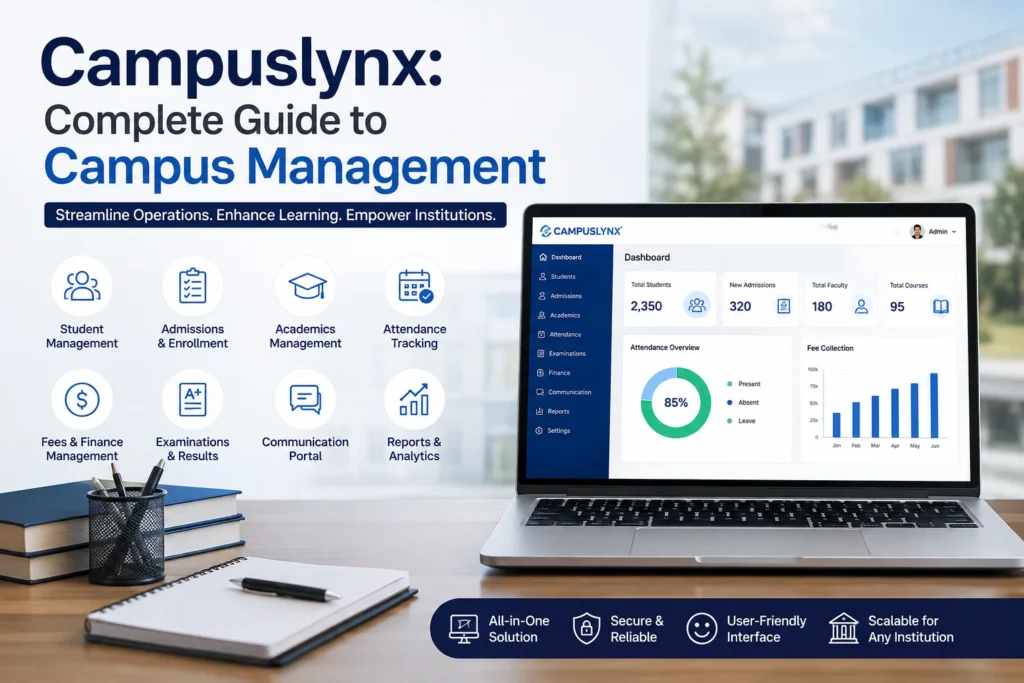
Campuslynx is a campus management platform built for schools, colleges, and universities that need one system to handle the day-to-day work of running an institution. Instead of juggling separate tools for attendance, fees, grading, and communication, everything sits in one dashboard that students, faculty, and administrators can log into.
Think of it as the digital backbone of a campus: it doesn’t replace teaching, but it removes the paperwork around it.
Who Actually Uses It
Three groups touch the platform daily, and each sees a different version of it.
Students check attendance, view grades, download timetables, and track fee payments without waiting in line at the admin office.
Faculty mark attendance in a few taps, upload grades directly to student records, and post announcements that reach an entire class at once.
Administrators get the bigger picture: enrollment numbers, fee collection status, exam scheduling, and payroll, all pulled from the same underlying data instead of five disconnected spreadsheets.
Core Features Worth Knowing
Attendance tracking is usually where institutions start. Faculty log attendance electronically, and it syncs immediately to student dashboards and parent notifications, so there’s no end-of-semester scramble to reconcile numbers.
Grade management works the same way. Once a professor enters marks, students see them right away, and the system can flag students falling below a threshold so advisors can step in early rather than after finals.
Fee management handles collection, receipts, and outstanding balance tracking. Parents get reminders before due dates instead of finding out about late fees after the fact.
Exam and timetable scheduling reduces the classic double-booking problem, where two classes get assigned the same room at the same hour.
Communication tools let administrators push notices to the whole campus or a single department, cutting down on the group-email chaos that usually fills a college inbox.
How Setup Typically Works
Most institutions roll out Campuslynx in stages rather than switching everything overnight. A common approach:
- Import existing student and staff records
- Set up attendance and grading first, since these get used daily
- Add fee management once the first two are stable
- Layer in scheduling and communication tools last
This staged rollout matters. Institutions that try to activate every module at once tend to see confused staff and low adoption in the first few weeks. Starting with attendance and grades, the features people touch every single day, build familiarity before adding the rest.
What to Check Before Adopting It
Not every campus management tool fits every institution, so a few questions are worth asking before committing:
- Does it integrate with your existing student information system, or will you need to migrate data manually?
- Can it scale from one campus to multiple locations if your institution grows?
- What does data security look like, especially for student records?
- Is there a mobile app, or is it browser-only?
Institutions that skip this step often end up paying for features they never use or discover mid-rollout that a critical integration doesn’t exist.