
Chillio IPTV Smart Player: An Honest Review and Setup Guide
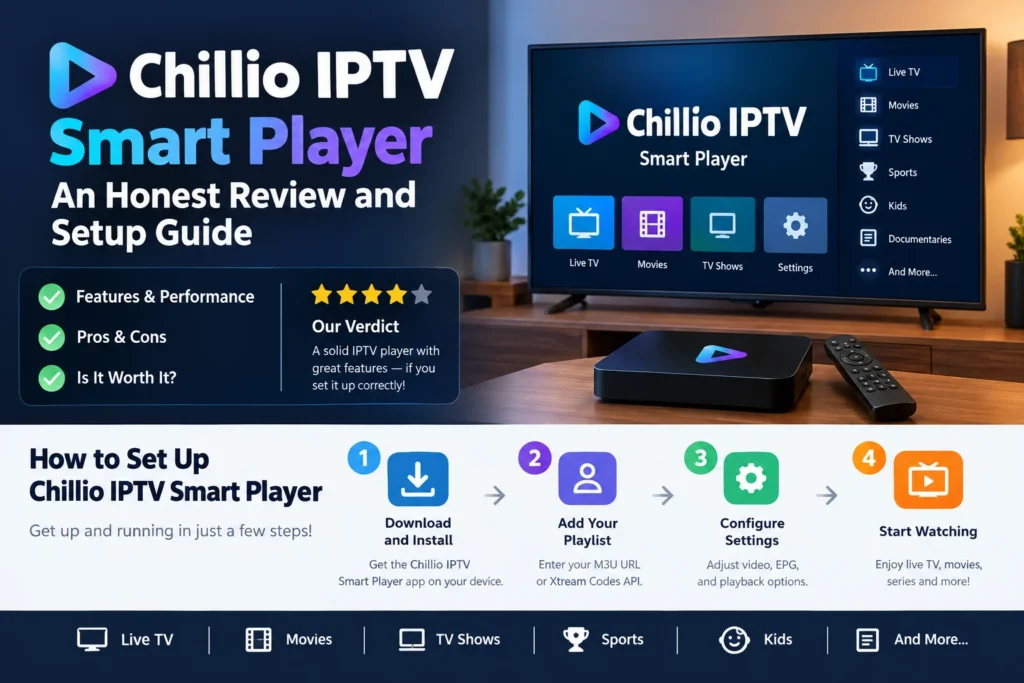
The Chillio app is a media player for streaming TV, built for Apple devices. It doesn’t sell channels, and it doesn’t hand you a playlist. You bring your own M3U link or provider login, and it wraps everything in a clean, Netflix-style layout. If playlist apps have ever felt like spreadsheets with a play button, that’s the itch it scratches.
Quick heads-up: a few unrelated apps share the Chillio name, including a life planner and a cleaning app. This review covers the IPTV player only.
What Is the Chillio App?
Chillio is a freemium player. Its App Store listing promises a Netflix-style interface for live TV, movies, and series, with advanced customization reserved for premium subscribers. A directory listing also notes that no registration is required.
Key Features
- Smart search. The listing says search actually works, which matters when a playlist holds thousands of titles.
- Clean viewing. No ads or watermarks, plus settings that sync across devices.
- Merged accounts. Several IPTV accounts can be combined into one library.
- 4K support. Listed on the same directory page.
Which Devices Does It Run On?
The App Store lists names like Apple TV, iPad, iPhone, and macOS. An Android TV version was in closed beta at the time of that listing. Android phones aren’t mentioned anywhere, so don’t count on one.
Pricing: Free vs. Premium
Chillio is freemium, with a pay-once option or a subscription. I’m not quoting dollar amounts. Third-party listings disagree with each other, and prices shift by region. Check the in-app purchase list before paying.
How to Set It Up
- Install the player from the App Store on your Apple TV or iPhone.
- Add your M3U playlist URL, or your provider’s login details. An EPG link gives you a program guide.
- Wait for the import to finish.
- Pick a refresh schedule.
One App Store reviewer added a playlist and guide URL in under five minutes with no formatting problems. Another hit a snag, though. On Apple TV, the app refreshed the whole playlist at every launch, whatever the chosen refresh schedule. That could slow startup on large playlists.
Is It Legal?
The player carries no content, so legality depends on where your playlist comes from. Chillio says it empowers legal streaming and links a legal page. Use licensed sources, like your own provider or free public streams, and skip anything you can’t verify.
Pros and Cons
Pros: polished layout, ad-free viewing, a free tier, cross-device sync, and fast setup for most people.
Cons: no Android phone version, unclear pricing across sources, and the launch-refresh complaint above. [Add one or two drawbacks from your own testing.]
Who Should Use It?
It suits Apple households that already have a legal playlist and want a tidier interface. Skip it if you’re on Android, or if you want an app that supplies channels.
FAQ: Chillio App Questions
Is the Chillio app free?
There’s a free version, and paid options exist. Check current prices in the App Store.
Does Chillio provide channels?
No. You add your own playlist or provider login.
Does Chillio work on Android?
Not on phones, as far as I can tell. Android TV was in closed beta.
How do I cancel a Chillio subscription?
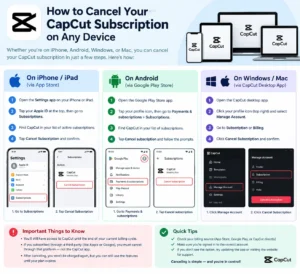
On iPhone, open Settings, tap your Apple Account, choose Subscriptions, tap the plan, then tap Cancel Subscription. Deleting the app doesn’t cancel billing.
Is Chillio the same as the Chillio life planner?
No. They’re separate apps from different developers.






1 thought on “Chillio IPTV Smart Player: An Honest Review and Setup Guide”