
How to Do a Michigan Business Entity Search
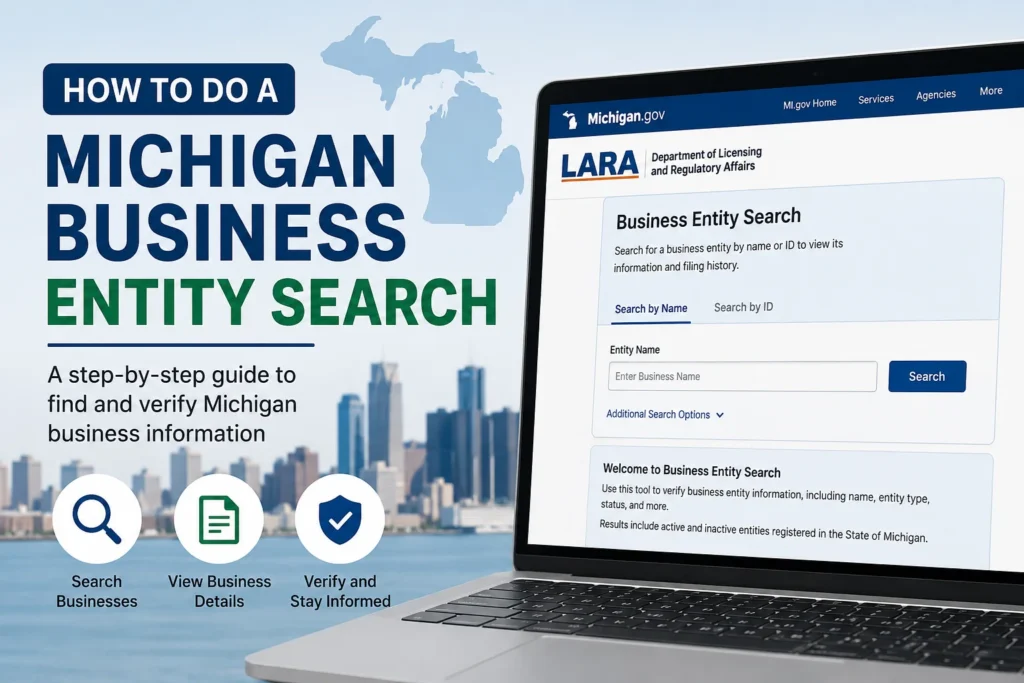
If you’re trying to verify a company you’re about to sign a contract with, check whether your dream LLC name is taken, or confirm a business is actually in good standing with the state, the answer lives in one place: the Michigan Department of Licensing and Regulatory Affairs (LARA). Every corporation, LLC, and nonprofit registered in Michigan shows up in LARA’s public database, and looking it up costs nothing.
Here’s exactly how the search works, what you’ll find once you run it, and a few mistakes that trip people up.
What is the Michigan Business Entity Search? Actually Is
The Corporations Division of LARA maintains the official record of every business entity formed or registered in Michigan. Its public lookup tool now runs through the MiBusiness Registry Portal, which replaced the older Corporations Online Filing System (COFS) as the state’s main filing and search platform.
This isn’t a private, third-party directory that scrapes old records. It’s the same database Michigan itself uses to process filings, which means the results reflect the entity’s actual legal status, not a cached copy that’s months out of date.
How to Search
- Go to the official portal. Navigate to the MiBusiness Registry Portal (mibusinessregistry.lara.state.mi.us). Skip any site that isn’t a
.state.mi.usormichigan.govaddress; several lookalike sites charge for information LARA gives away for free. - Choose your search type. You can search by entity name, identification (ID) number, filing number, an individual’s name (useful if you know an officer or registered agent but not the company name), or resident agent.
- Pick a search method. Options typically include exact match, “begins with,” full-text search, and soundex (which catches phonetically similar names—handy if you’re not sure of the exact spelling).
- Review the results list. A search returns every entity that matches your criteria. Click the one you want to open its summary screen.
- Check the entity profile. This is where you’ll find the details described below.
What Information You’ll Find
Once you open an entity’s record, expect to see:
- Legal name and any assumed names (DBAs)
- Entity ID number: The state’s internal identifier, useful for future lookups or filings
- Formation or registration date
- Entity type (domestic LLC, foreign corporation, nonprofit, etc.)
- Current status: Active, dissolved, or not in good standing
- Registered (resident) agent name and address
- Filing history, with links to view certain documents online
That status field is often the whole reason people run the search. A company can technically still exist on paper while being administratively dissolved for missing a filing deadline, and that distinction matters if you’re about to do business with it.
Why People Run This Search
A few common reasons show up again and again:
Checking name availability before forming an LLC. Before you file Articles of Organization, a quick search tells you whether your proposed name or something confusingly similar is already taken. One catch worth knowing: a clean search result isn’t a guarantee. LARA still does a manual review of every filing, and it can reject a name the search tool didn’t flag as a conflict.
Verifying a vendor or business partner. Before signing a contract, lenders, landlords, and other businesses often confirm that the company they’re dealing with is legitimate, active, and registered under the name it claims.
Due diligence on a potential employer or client. Freelancers and job seekers sometimes check whether a company is actually registered in Michigan, not just operating under a name with no formal filing behind it.
Reinstating or maintaining an existing business. Owners use their own entity’s record to confirm their filing status, pull their ID number for a new filing, or double-check their registered agent’s address is current.
Staying in Good Standing After You’re Registered
A business entity search only shows what’s on file, so it’s worth understanding what keeps that record current. Michigan requires most entities to file an annual update:
| Entity type | Filing | Due date | Fee |
|---|---|---|---|
| LLC | Annual Statement | February 15 | $25 |
| Corporation | Annual Report | May 15 | Varies by entity type |
| Nonprofit | Annual Report | October 1 | Varies |
Miss the LLC deadline, and Michigan adds a penalty of $10 per month. The statement stays outstanding, capped at $50, and the entity can eventually lose good standing. If that happens for long enough, the name becomes available for someone else to register. This is exactly why a “no results” or “dissolved” status in the search can sometimes surprise a business owner who assumed everything was fine.
A Few Things People Get Wrong
Assuming the state search covers all 50 states. It only covers entities registered in Michigan. A name that’s free here might be taken in Ohio, and vice versa—if you’re checking availability nationally, you’ll need to search each state separately.
Confusing a search hit with legal protection. Registering a business name with LARA isn’t the same as securing a trademark. Two companies can hold similar names in different industries without either one infringing on the other; trademark protection is a separate process through the U.S. Patent and Trademark Office.
Overlooking the resident agent search option. If you only know the name of the person who receives legal documents for a company, you don’t need the exact business name. Search by individual or resident agent name instead.








1 thought on “How to Do a Michigan Business Entity Search”