Shortsnoob.con Review: Free YouTube Shorts Downloader
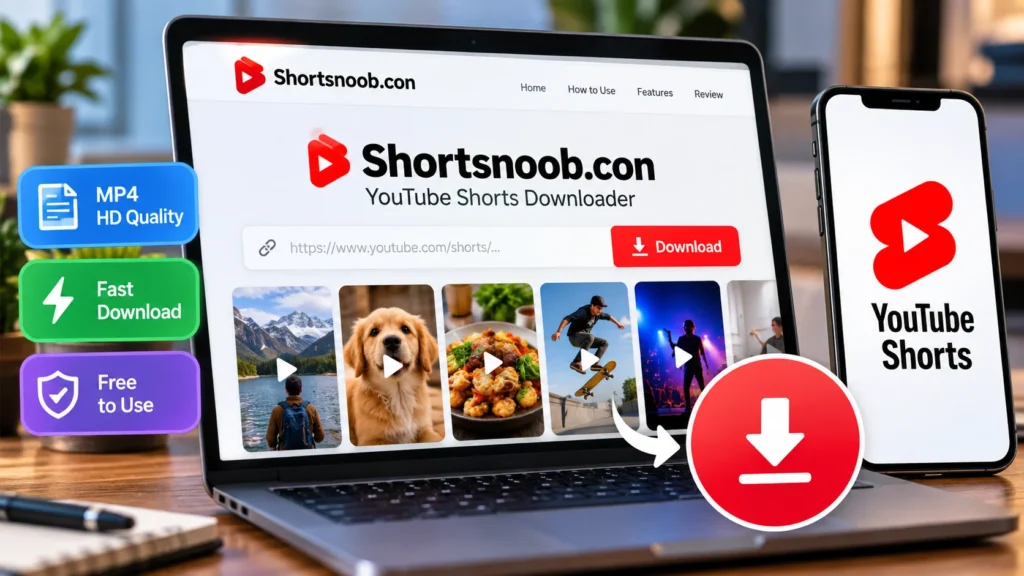
Shortsnoob.con does one job: it saves YouTube Shorts as video files. You paste a link, pick a quality, and the file lands on your phone or laptop. No app, no account. That simplicity explains the search interest, but it also hides a question most listing pages skip. Are you actually allowed to do this? Here’s what the site does, how it works, and where the limits sit.
What Is Shortsnoob?
It’s a browser-based downloader. A software directory describes it as a free web tool for saving YouTube Shorts in HD, with no signup or login required. A tech blog likewise calls it a site dedicated to downloading Shorts.
Some listings go further. One directory names FunDatos as the seller and claims support for Instagram, Facebook, Vimeo, and Pinterest. Other sources only mention Shorts, so assume Shorts is what works and test anything else yourself. These descriptions are self-reported, and the directory page I checked shows zero user reviews. Treat the feature claims as unverified.
How to Download a Short Step by Step
The process takes under a minute, and it runs in a mobile browser on Android or iPhone.
- Open the Short in YouTube and tap Share, then Copy link.
- Visit shortsnoob.com in your browser.
- Paste the link into the download field.
- Choose a resolution.
- Tap Get Link, then Download.
An Indonesian-language walkthrough from October 2024 describes the same flow. If the file won’t save, switch browsers first. Pop-up ads are common on free downloader sites, so close them instead of clicking through.
Who Uses It?
Directory listings name freelancers, startups, and video creators as typical users. The use cases are easy to guess: saving a clip for reference, keeping raw footage you made, or watching offline. That last one is where official options exist, which leads to the rules
Is Using Shortsnoob Allowed?
Short answer: it depends on whose video it is.
YouTube’s terms bar downloading content unless the service expressly allows it, or you hold written permission from YouTube and the rights holders. A third-party downloader isn’t a YouTube feature. So saving someone else’s Short sits outside the terms, even when the site loads fine.
Copyright is a separate layer. Keeping a copy for private viewing and reposting it are very different acts, and reposting without permission is where people get into real trouble. I’m not a lawyer, and rules vary by country, so check yours.
Safer routes exist:
- Download your own uploads from YouTube Studio.
- Use YouTube Premium’s in-app offline downloads.
- Look for videos under a Creative Commons license, which allow reuse with credit.
The Quick Verdict
If you want your own Shorts for editing or backup, Shortsnoob is convenient, though YouTube Studio is the safer choice. For other people’s videos, the risk is yours, and the site’s broader claims remain unproven. Credit creators, don’t repost, and skip anything that asks you to install software.
FAQ: Shortsnoob Questions
Q: Is Shortsnoob free?
A: Directory listings describe it as free with no signup. Ads may appear.
Q: Does it work on iPhone?
A: A tech blog describes the steps for both Android and iPhone browsers.
Q: Can it download Instagram or TikTok videos?
A: One directory claims multi-platform support, while others say Shorts only. Test before relying on it.
Q: Is it legal?
A: Downloading can breach YouTube’s terms and, if you redistribute, copyright law. Check your local rules.
Q: Can I download my own Shorts another way?
A: Yes. YouTube Studio lets creators download their own uploads.