
How to Do a Georgia Business Entity Search
Trying to check if a business name is taken, verify a company you’re about to sign a contract with, or confirm your own LLC is still in good standing with the state? All three jobs start in the same place: the Georgia Secretary of State’s free entity search tool.
Here’s how it works, what you’ll find, and a few things that trip people up the first time they use it.
What Is the Georgia Business Entity Search?
The Georgia business entity search is a public database run by the Corporations Division of the Secretary of State’s office. It lists every domestic and foreign corporation, LLC, limited partnership, and limited liability limited partnership registered to do business in the state, plus nonprofit and professional entities.
It does not cover sole proprietorships or general partnerships, since those don’t file with the Corporations Division in the first place. If you’re checking on a freelancer or an unregistered side business, this tool won’t have a record for them.
The database lives on eCorp, Georgia’s online filing and records portal, at ecorp.sos.ga.gov/BusinessSearch. It’s free, it’s open to the public, and you don’t need to create an account just to search. You’ll only need an account when you’re ready to file something, like a formation document or an annual registration.
Step-by-Step: How to Search
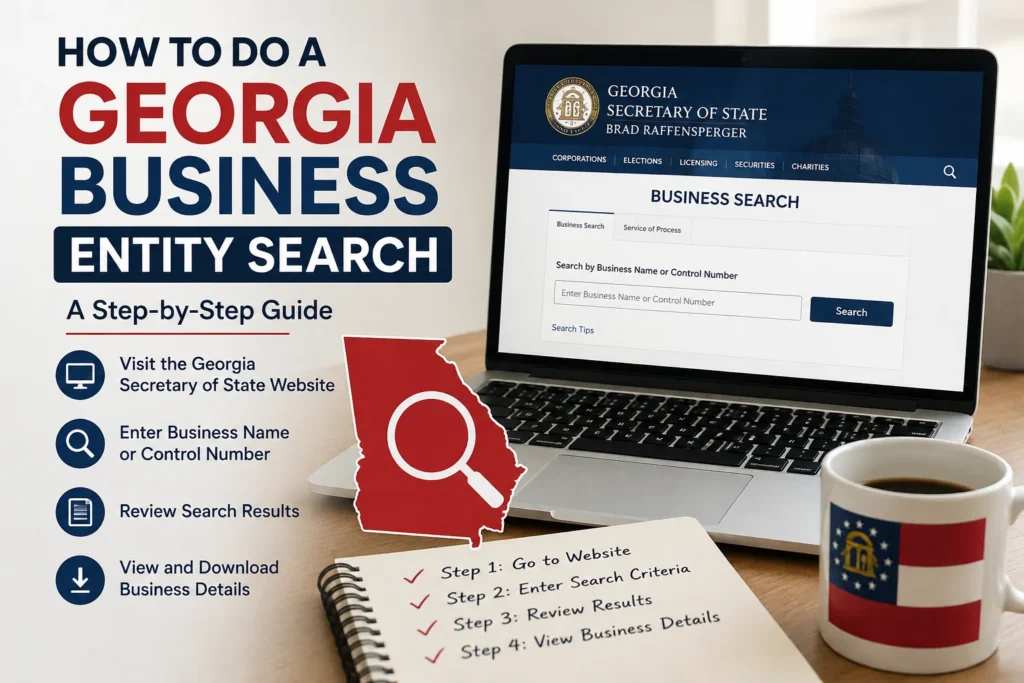
1. Go to the eCorp business search page. Navigate directly to ecorp.sos.ga.gov/BusinessSearch rather than searching for it, since a few third-party sites try to mimic the state’s lookup tool.
2. Pick your search criteria. You’ve got four options: Business Name, Control Number, Registered Agent Name, or Officer Name. Most people start with the business name because it’s the one piece of information they already have.
3. Choose a match type. “Starts With” and “Contains” cast a wide net, useful when you’re not sure of the exact legal name. “Exact Match” narrows things down fast if you already know precisely how the entity is registered.
4. Run the search and scan the results. You’ll see a table with the business name, control number, entity type, status, and principal address for each match.
5. Click into the record you want. This opens the full detail page, showing filing history, the registered agent, and downloadable documents tied to that entity.
If you already have the entity’s control number, an eight-digit identifier Georgia assigns at formation, skip straight to that field. It’s the fastest way to pull up a single, exact record, and it avoids the guesswork of matching similar business names.
What Information You’ll Actually Get
A completed search gives you:
- Legal business name and any assumed names on file
- Control number
- Entity type (LLC, corporation, LP, and so on)
- Current status: active, dissolved, administratively dissolved, or withdrawn
- Principal office address
- Registered agent name and address
- Filing history, including formation documents and annual registrations
For a deeper look, you can also order a Certificate of Existence or certified copies of filed documents directly through eCorp. Those come with a separate fee, unlike the search itself.
One Big Misconception: This Isn’t a Name Availability Check
Worth flagging early, because it catches a lot of new business owners off guard. The Georgia Secretary of State is explicit about this: the business search tool tells you what’s already registered, but it doesn’t determine whether a similar name would be approved for your new filing.
A name that doesn’t show up in search results isn’t guaranteed to be available. Georgia’s Corporations Division makes that call during the actual filing or name reservation review, not before. So if the name matters a lot to your brand, don’t treat a clean search as a green light. Reserve the name instead, which locks it in for 30 days for a filing fee of $25 online (or $35 by mail).
Common Reasons People Use This Search
Starting a new business. Before you file, it’s worth checking what’s already registered so you’re not walking into a naming conflict later. Not a guarantee, as covered above, but a useful first pass.
Vetting a business partner or vendor. If you’re about to sign a contract, checking whether the company is active or dissolved takes about thirty seconds and can save you a headache.
Confirming your own company’s status. Missed an annual registration deadline? Georgia can administratively dissolve an LLC or corporation that falls behind. A quick status check tells you where you stand before it becomes a bigger problem.
Legal and compliance research. Attorneys and paralegals use the registered agent and officer name search functions to track down entities connected to a specific person, which comes up often in due diligence and litigation prep.
A Few Practical Tips
Search broad first, then narrow. If a “Contains” search for a name returns nothing, try “Starts With” before assuming the entity doesn’t exist. Sometimes the legal name has a suffix or variation you weren’t expecting.
Don’t confuse a similar name with the same entity. Georgia’s database can return several businesses with nearly identical names but different control numbers, owners, and statuses. Always check the control number before assuming you’ve found the right one.
Check the status field, not just the existence of a listing. A business can show up in search results and still be dissolved. That distinction matters a lot if you’re relying on the search for due diligence.
Bookmark the direct URL. Because eCorp handles both search and filing, it’s easy to land on the wrong page inside the portal. Going straight to the business search page saves a step every time you come back.








1 thought on “How to Do a Georgia Business Entity Search”