What Is Adobe Firefly? Features, Plans, and Who It Suits
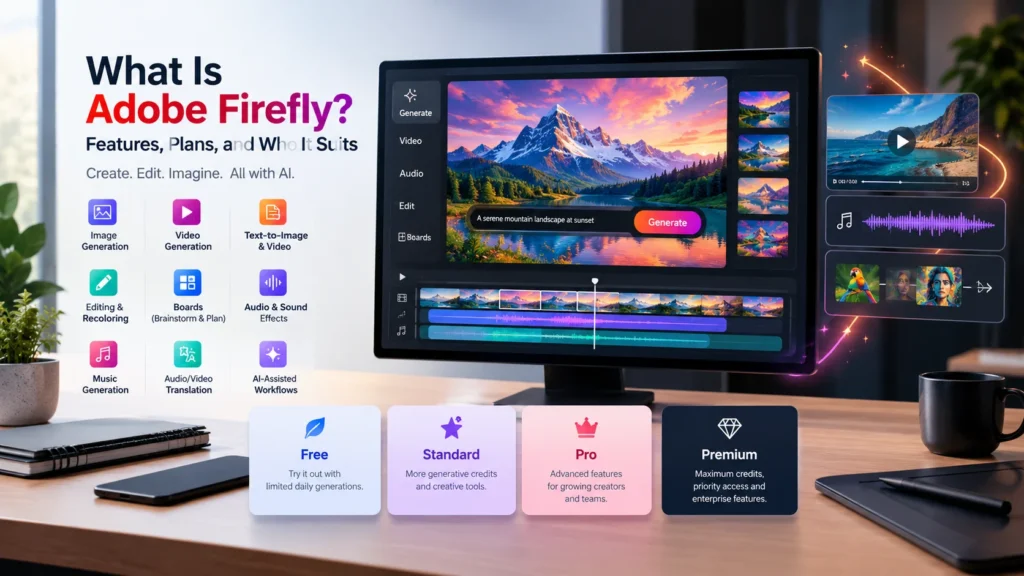
Adobe Firefly is Adobe’s generative AI platform for creating images, video, audio, and vector graphics from text prompts. It runs in your browser and on mobile, and its tools also appear inside Photoshop, Illustrator, and Express. Whether you’re a beginner picking a first tool or an agency weighing costs, this guide covers what it does, what it costs in October 2026, and where it fits.
What Adobe Firefly Does
It began as an image generator. Now it’s closer to a full studio. Adobe’s plans page lists text-to-image, generative fill, generative expand, text-to-vector, video generation, speech, music, sound effects, and audio translation. Firefly Boards gives teams a shared space for early ideas.
The platform also hosts outside models. Google, OpenAI, and Black Forest Labs’ FLUX handle images, while Runway, Kling, and Luma cover video. That means one subscription reaches several engines.
Is It Safe for Commercial Work?
This is where Firefly separates itself. Adobe says its own models train on licensed and public domain content, and outputs carry Content Credentials, a metadata label showing AI involvement. Eligible enterprise customers can also get IP indemnification for select outputs.
One catch: partner-model results aren’t covered the same way. Adobe tells users to judge those for themselves. Agencies should check contracts before sending anything to a client.
Adobe Firefly Pricing in October 2026
| Plan | Price/month | Credits/month |
|---|---|---|
| Free | $0 | Limited daily generations |
| Standard | $9.99 | 2,000 |
| Pro | $19.99 | 4,000 |
| Pro Plus | $49.99 | 10,000 |
| Premium | $199.99 | 50,000 |
Every paid tier includes unlimited standard image and vector generations. Credits only get spent on premium work: video, audio, and partner models. They reset monthly and don’t roll over.
Video burns credits fast. Pro Plus’s 10,000 credits cover up to 100 five-second clips, so roughly 100 credits each. Adobe is also discounting Pro Plus and Premium by 30% for the first year, ending October 21. Creative Cloud Pro ($69.99) bundles 4,000 credits with 20-plus apps, which can beat buying separately.
Which Plan Fits You?
Beginners should start with the free daily allowance. Freelancers and social media marketers will rarely outgrow Standard if they stick to images. Anyone producing regular video should look at Pro or above. Agencies handling high volume, plus admin controls, belong on Premium or team licenses.
How to Start in Four Steps
- Sign in free at firefly.adobe.com.
- Write a specific prompt. Name the subject, setting, lighting, and style. “Ceramic mug on a wooden table, morning light, product photo” beats “a mug.”
- Refine. Use Generative Fill to swap parts of an image, or Generative Expand to widen the frame.
- Export with Content Credentials intact for client work.
Where It Falls Short
Credits can vanish quickly, and monthly limits frustrate heavy users. Partner models vary in quality and legal coverage. And honestly, if you only need occasional images, a free plan may be enough.
FAQ
Is Adobe Firefly free? Yes. The free plan gives daily generations across image, video, and audio, with limits that refresh each day.
Can I use Firefly images commercially? Outputs from Adobe’s own models are cleared for commercial use. Check partner-model terms separately.
Do unused credits roll over? No. They reset each billing cycle.
What happens when credits run out? Standard features stay unlimited. Premium features need an add-on plan or a wait.