How to Decode the Logic and Print Any Pattern in Python
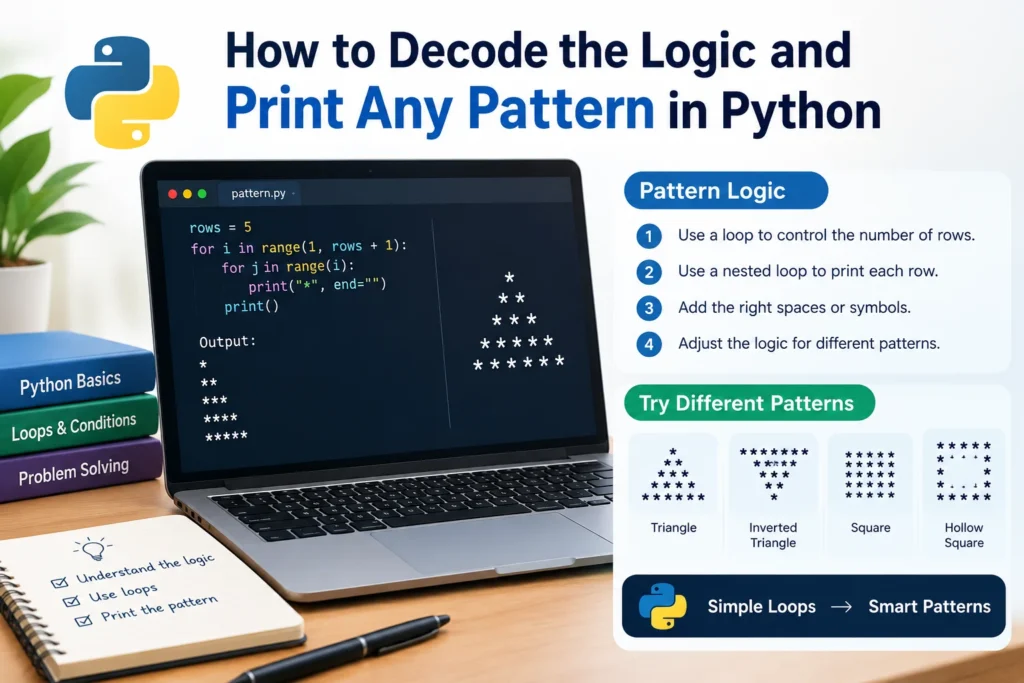
You’ve got a sample output on screen: a triangle of stars, maybe a pyramid. Decode the logic and print the pattern numbers. The task says to decode the logic and print the pattern. No hints, no formula. Just the picture.
Most beginners freeze here. They start typing loops and hope the shape appears. It rarely does.
The good news is that pattern problems follow a small set of rules. Once you learn to read the output like a table, the code almost writes itself. This guide gives you a four-question method and walks it through four patterns, using Python.
What “Decode the Logic” Actually Means
Every pattern is a grid. Each line is a row, and each row holds some number of symbols, which might be stars, digits, or blank spaces. To decode the logic is to find the rule that says what goes in each row.
That rule almost always depends on one thing: the row number. Row 1 has one star, row 2 has two, and so on. Spot the relationship between row number and content, and you’ve cracked it.
Programmers reach for nested loops here. The outer loop walks through the rows. The inner loop fills in what each row contains. Python’s tutorial on control flow covers the for statement and range() that power both (Python docs: More Control Flow Tools).
The Four-Question Method
Before writing any code, ask these four questions about the sample output:
- How many rows are there? This sets your outer loop.
- How many items are in each row? Express it using the row number.
- What gets printed? Stars, numbers, letters, or spaces?
- Does position matter? Borders, corners, and hollow centers need a condition.
Write your answers in a small table. Seriously, on paper. Two minutes of tabulating saves twenty minutes of debugging.
Here’s the thing most tutorials skip: the table is the solution. The code just translates it.
Pattern 1: The Right Triangle
*
* *
* * *
* * * *
* * * * *
Run the questions. Five rows. Row i holds i stars. Stars are printed with a space between them. Position doesn’t matter.
Python
rows = 5
for i in range(1, rows + 1):
    for j in range(i):
        print("*", end=" ")
    print()
The inner loop prints one star per pass and end=" " stops Python from jumping to a new line each time. The bare print() after the inner loop is what ends the row. Forget it, and everything lands on one long line. That’s the most common slip I’d point beginners to first, and the print() documentation explains the end parameter clearly (Python docs: print()).
Pattern 2: The Number Triangle
1
1 2
1 2 3
1 2 3 4
Four rows. Row i holds i items. This time the items are numbers counting up from 1, and the number depends on the column, not the row.
Python
rows = 4
for i in range(1, rows + 1):
    for j in range(1, i + 1):
        print(j, end=" ")
    print()
Notice what changed: only the thing being printed. The skeleton stays identical. That’s the pattern behind the patterns, and it’s why practice compounds quickly.
Want a variation? Print i instead, j and you get rows of repeated digits (1, then 2 2, then 3 3 3). One word changed, completely different output. Try it before reading on.
Pattern 3: The Pyramid
    *
   ***
  *****
 *******
*********
This one trips people up because spaces count as content. Ask the questions again. Five rows. Each row has leading spaces, then stars. On row i (starting at 1), you need rows - i spaces and 2*i - 1 stars.
How do you find those formulas? Tabulate:
| Row | Spaces | Stars |
|---|---|---|
| 1 | 4 | 1 |
| 2 | 3 | 3 |
| 3 | 2 | 5 |
| 4 | 1 | 7 |
| 5 | 0 | 9 |
Spaces drop by one each row, so it’s rows - i. Stars climb by two, starting at one, so it’s 2*i - 1. Spotting an “add two each time” gap is the key move.
Python
rows = 5
for i in range(1, rows + 1):
    print(" " * (rows - i) + "*" * (2 * i - 1))
Python lets you multiply a string by a number, which repeats it. That shortcut removes the inner loop entirely. Both versions are valid, though. If the shortcut feels like magic, write the inner loops first, then compress.
Pattern 4: The Hollow Square
* * * * *
*       *
*       *
*       *
* * * * *
Here position matters, so question four kicks in. A cell gets a star only if it sits on the first or last row or the first or last column. Everything else is a blank.
Python
n = 5
for i in range(n):
    for j in range(n):
        if i == 0 or i == n - 1 or j == 0 or j == n - 1:
            print("*", end=" ")
        else:
            print(" ", end=" ")
    print()
This is your first pattern with a condition inside the loop. Interview questions love it, because they test whether you can describe a border in logic rather than by eye.
Common Mistakes to Avoid
Starting the range at the wrong number. range(5) gives 0 to 4; range(1, 6) gives 1 to 5. Decide which your formulas assume.
Forgetting the line break. No print() after the inner loop means one endless row.
Ignoring spaces. Blanks are content. If a shape looks lopsided, count them.
Guessing instead of tabulating. Not sure why your output is off? Compare your row-by-row counts against the target. The mismatch shows up immediately.
Memorizing code. Memorized solutions collapse the moment the shape changes. The method transfers; the snippet doesn’t.
FAQ: Pattern Printing Questions
Q: Why do pattern problems use nested loops?
A: A pattern is two-dimensional. One loop handles rows and a second handles what’s inside each row, so together they cover the whole grid.
Q: How do I find the formula for spaces or stars?
A: Write a table of row number against count. Look at how the count changes: adding one each time means adding two, and subtracting one means n - i.
Q: Can I do this in C, Java, or JavaScript?
A: Yes. The logic is identical; only syntax changes. In C or Java, use printf or System.out.print where Python uses print(..., end="").
Q: What does it end="" do in Python?
A: It replaces the default newline after print() with whatever you choose, so several prints can share one line.
Q: How long does it take to get good at these?
A: Most beginners feel comfortable after ten to fifteen varied patterns, provided they tabulate first instead of guessing.