
What Is a Distributed System? Beginner’s Guide 2026
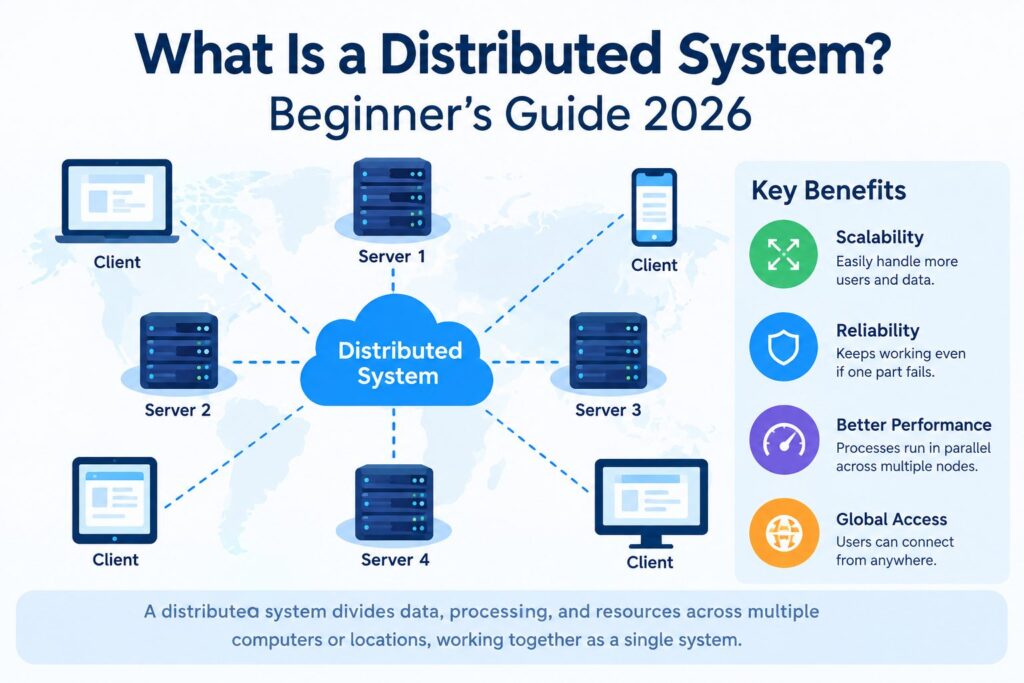
Start with the plain version. One computer running your whole app is a single-node setup. Spread the app across several machines that pass messages to each other, and you’ve got a distributed system. Each machine (or sometimes each process) is called a node.
MIT’s distributed systems course describes it as multiple networked computers cooperating, with Internet email, a file server, and Google MapReduce as examples. Notice what that definition leaves out: shared memory and a shared clock. Nodes only know what other nodes tell them, and messages can arrive late, twice, or never.
Two traits define the whole field:
- Nodes fail independently. One can crash while the others carry on.
- Nodes disagree about time. Clocks drift, so “which event happened first?” doesn’t always have a clean answer.
Nearly everything difficult about this topic grows from those two facts.
Everyday Examples
You already use these daily. Web search splits its index across thousands of machines. Video streaming services keep copies of popular titles near viewers to cut delay. Online banking spreads account records over several databases so one hardware fault doesn’t erase a balance. Email, cloud storage, multiplayer games, and cryptocurrency networks belong here too.
Here’s a smaller, hypothetical case. A bookstore site runs one web server, one database, and one cache. Traffic grows, so the team adds three more web servers behind a load balancer and a second database copy. Now seven nodes must agree on stock counts. The bookstore became a distributed system, whether or not anyone planned it.
How a Distributed System Works
Most designs rely on a handful of building blocks.
Replication keeps copies of the same data on several nodes, so a dead machine doesn’t mean lost data. Partitioning, often called sharding, cuts a large dataset into pieces stored on different nodes. Load balancing spreads incoming requests so no single machine gets swamped. Consensus lets nodes agree on one answer even when some are slow or down; Raft and Paxos are the best-known protocols.
Picture a user-profile database with three replicas. A write hits the leader, which forwards it to two followers. Once a majority confirms, the write counts as saved. If the leader crashes, the followers hold an election and pick a new one. That short story holds replication, consensus, and failover in a single loop.
Why Teams Build Them
MIT’s notes list four motives: connecting physically separate entities, gaining security through isolation, tolerating faults by keeping copies at separate sites, and getting speed from parallel CPUs, memory, disks, and networks.
Scale is the reason juniors usually hit first. One machine has a ceiling on CPU, memory, and disk; add nodes and the ceiling rises. Reliability matters just as much. With copies in several data centers, a power cut in one building doesn’t take the product offline. Latency is the third: serving people from a nearby node feels quicker than sending everyone to one distant server.
Why They’re Hard
Here’s where beginners get surprised. On one machine, a function call works or throws an error. Across a network there’s a third outcome: you don’t know. The request might have arrived while the reply got lost. It might never have arrived. The server might just be slow. MIT’s notes call this partial failure and give the example of not knowing whether an email was accepted
Leslie Lamport’s famous joke, repeated in those lecture notes, says a distributed system is one where a computer you never knew existed can break your own. It’s funny because dependencies really do hide.
Then there’s the CAP theorem. When a network partition splits your nodes, you must choose between consistency (every read sees the latest write) and availability (every request gets an answer). You can’t have both during the split. Banks usually favor consistency. A social feed can often live with slightly stale data.
The most useful advice in those same notes is also the least glamorous: don’t distribute if a central system will work. A single well-tuned database handles more traffic than most newcomers expect, so earn the complexity before you add it.
Mistakes to Avoid
1. Trusting the network. Assume calls will be slow, dropped, or repeated.
2. Skipping timeouts. Amazon’s guidance is to set a timeout on any remote call, including calls between processes on one server. Without one, a stalled dependency can stall you too.
3. Retrying carelessly. Amazon’s engineers say failures can’t be eliminated, so they build with timeouts, retries, and backoff. Retries help with brief glitches, but if every client retries at once, a struggling server gets buried. Capped exponential backoff with random jitter spreads the load out.
4. Ignoring idempotency. If a payment request might be sent twice, running it twice mustn’t charge twice. Idempotency keys solve this.
5. Splitting too early. Breaking a small app into many services multiplies network calls, and each call is a new place to fail.
How to Start Learning
Reading helps. Building helps more. MIT’s course has students build increasingly sophisticated fault-tolerant services in its labs. You can copy the idea at home: write a tiny key-value store, run it as three local processes, then kill one at random and watch what breaks. Add timeouts. Add retries. Break it again.







1 thought on “What Is a Distributed System? Beginner’s Guide 2026”