
Qdownloader: How It Works and Is It Safe to Use?
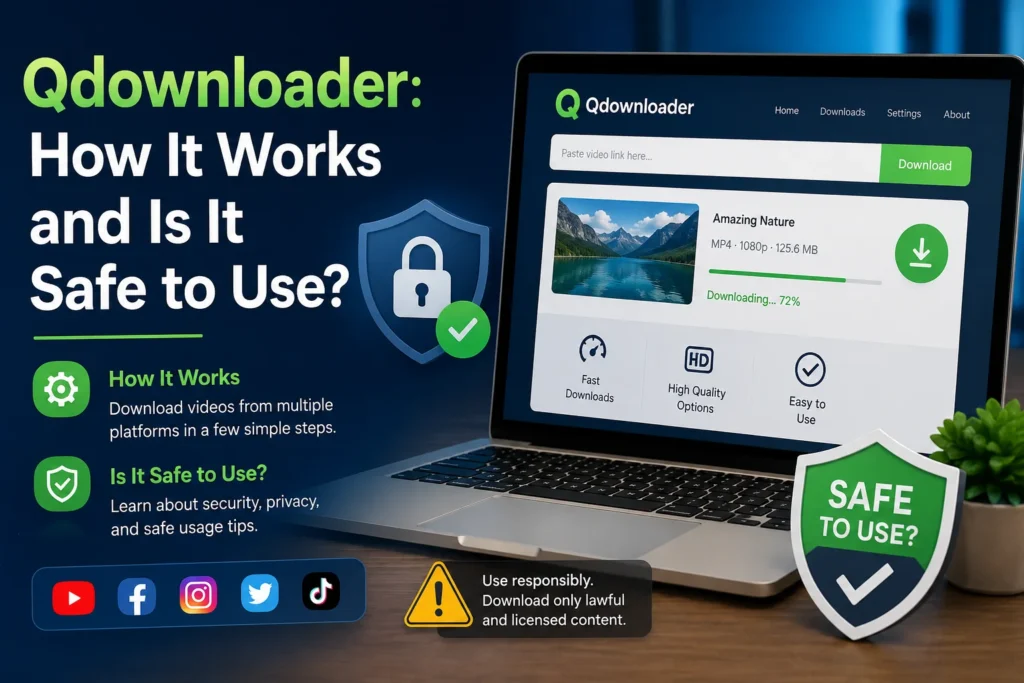
If you’ve ever wanted to save a video for offline viewing and typed “Qdownloader” into a search bar, you’ve probably noticed something confusing right away: there isn’t just one Qdownloader. There’s a browser-based tool, an Android app, and a handful of copycat sites all using variations of the same name. That overlap is exactly why so many people ask the same question before they use it: is this actually safe?
Here’s a straight answer, followed by everything behind it. Qdownloader itself, as a concept, does what it says: it pulls video and audio files from YouTube and other platforms so you can save them locally. But because the name is shared by multiple unrelated sites and apps of wildly different quality, “is Qdownloader safe” doesn’t have one universal answer. It depends entirely on which version you land on.
What Is Qdownloader?
Qdownloader is an online tool for downloading video and audio from YouTube and other platforms like TikTok, Facebook, Instagram, and Vimeo. You paste a video link into a text field, the site scans it, and it returns a list of downloadable formats and resolutions, usually MP4 for video and MP3 or M4A for audio only.
There’s no software to install for the web-based versions. That’s the main appeal: open the site, paste a URL, and download the file. An Android app version also exists on the Google Play Store under a similar name, offering the same basic function with a mobile interface.
Because “Qdownloader” isn’t trademarked or centrally controlled, several websites (qdownloader.net, qdownloader.cc, qdownloader.org, among others) operate under near-identical names but aren’t run by the same people. This matters more than it sounds like it should, because it means safety and reliability vary site to site even though the branding looks the same.
How Qdownloader Works, Step by Step
Most versions follow the same basic process:
- Copy the video URL. Go to YouTube (or another supported site), open the video, and copy the link from the address bar.
- Paste it into Qdownloader. Head to the site and drop the link into the download box.
- Wait for the scan. The tool checks whether the video is downloadable and pulls the available formats.
- Pick a format and resolution. You’ll typically see options ranging from low-resolution MP4s to 1080p or higher, plus an audio-only MP3 option.
- Download the file. Click through, and the file saves to your device or, on some versions, to a connected cloud drive.
The whole thing usually takes under a minute for a short video. Larger files or higher resolutions take longer, and speed depends heavily on your connection and the source site’s server load that day.
Is Qdownloader Safe? What to Actually Watch For
This is where the multiple-sites problem becomes real. Independent site-safety checkers have flagged mixed results across the different Qdownloader domains: some come back clean with valid SSL certificates and no blocklist hits, while others get lower trust scores tied to aggressive ad networks or registrar red flags rather than confirmed malware.
The consistent theme across reviews isn’t that the download function itself is dangerous. It’s the surrounding ad ecosystem. Free video-downloader sites are typically funded by third-party ad networks, and some of those networks are far less careful about what they serve than a site like YouTube itself. A few practical points:
- Pop-ups and redirect ads are common. Clicking anywhere near the download button on some versions can trigger a new tab pushing browser notifications, fake “update” prompts, or unrelated offers.
- The download link itself is usually fine. The actual video file rarely contains malware; the risk sits in the ads around it, not the MP4 you end up with.
- Browser extensions claiming to “speed up” the download are the riskiest add-on. Skip any prompt to install a plugin or app to complete a download that was supposedly going to work in-browser.
- HTTPS isn’t a guarantee, but its absence is a warning sign. If a Qdownloader variant doesn’t use a secure connection, that’s a reason to look elsewhere.
Practically, this means the tool is reasonably safe to use if you take a few precautions: run an ad blocker, don’t click anything that isn’t the actual download button, and never install software a downloader site prompts you to add.
The Legal Question Nobody Skips
Downloading a video you have the rights to, your own uploads, content under a Creative Commons license, or material the creator has explicitly approved for offline saving isn’t a problem. Downloading copyrighted material you don’t have permission to save is a different story, and it’s worth being clear-eyed about it.
Most major platforms’ terms of service prohibit downloading videos through third-party tools, regardless of what the tool’s own marketing says. That doesn’t necessarily mean each individual download results in legal action against an individual user, but it does mean the practice sits in a legal gray area that shifts depending on your country, the content owner, and how the file is used afterward. If you’re saving something to rewatch privately later, the practical risk is low. If you’re planning to redistribute, reupload, or use the content commercially, that’s where copyright holders actually act.
The safest approach: treat these tools as useful for content you have a legitimate reason to save (your own material, lectures you’re enrolled in, permitted footage, public-domain works), and be cautious about everything else.
What Qdownloader Is Actually Good For
Setting aside edge cases, the realistic, low-risk use cases are where this kind of tool earns its keep:
- Saving lectures or tutorials from platforms where you’re an enrolled student for offline review before a test or a flight with no WiFi.
- Archiving your own uploaded content if a platform doesn’t offer a straightforward export option.
- Downloading Creative Commons or public-domain video for a school project or personal archive.
- Grabbing audio from your own podcast appearances or interviews hosted on YouTube.
A Few Practical Alternatives
If a specific Qdownloader domain feels off, either the ads are excessive or the site won’t load reliably; there are other tools that do the same basic job. Options like yt-dlp (a free, open-source command-line tool with a much smaller ad footprint) or platform-native offline download features, where a YouTube Premium subscription lets you save videos directly and legally within the app, are worth comparing before settling on any single downloader site.






1 thought on “Qdownloader: How It Works and Is It Safe to Use?”