Pytest Interview Questions and Answers: The Complete 2026 Guide
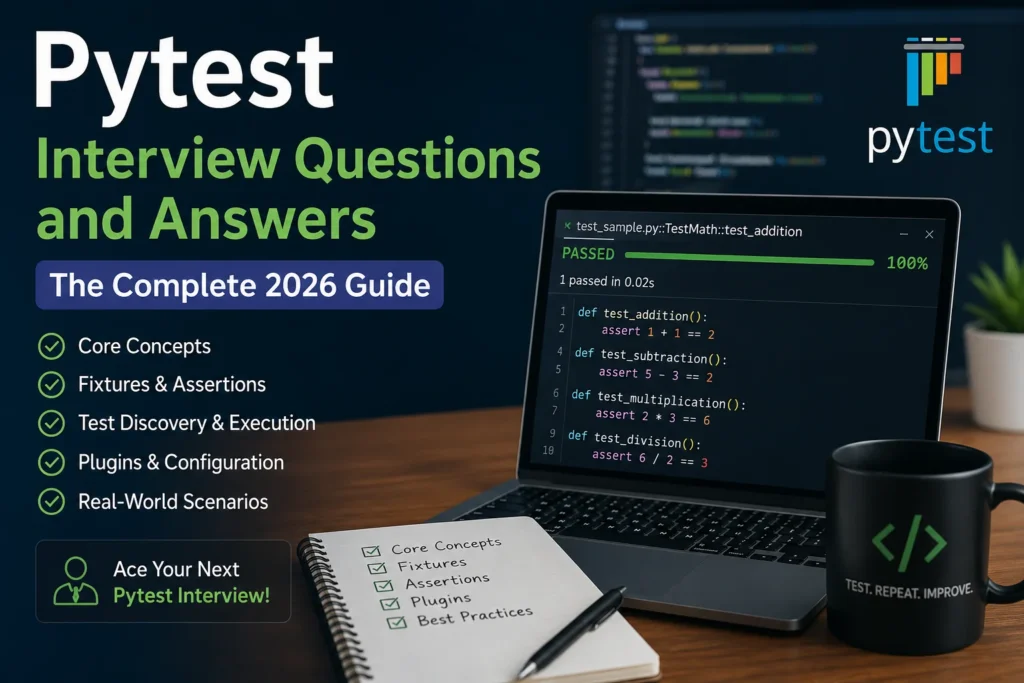
If you’re interviewing for a Python developer, QA automation, or backend role in 2026, chances are pytest will come up. It’s the default testing framework for most Python teams now, and interviewers use it as a quick way to check whether you actually write tests or just talk about writing tests.
This guide walks through the questions that come up again and again, organized by difficulty, with working code examples and notes on what interviewers are actually probing for. Skip around using the sections below, or read straight through if you’re starting from scratch.
Why Pytest Comes Up So Often in Interviews
Pytest replaced Python’s built-in unittest as the go-to testing tool for one simple reason: it gets out of your way. You don’t need to subclass TestCase or memorize assertEqual a dozen other assertion methods. You write a function, use the plain assert keyword, and pytest handles the rest, including test discovery, detailed failure output, and a plugin ecosystem that covers everything from parallel execution to HTML reports.
Because of that simplicity, interviewers don’t usually test whether you can install pytest. They test whether you understand why it’s built the way it is, how fixtures manage state, and whether you can reason about test design instead of just syntax.
Foundational Questions (Entry-Level)
These typically open the conversation, especially for junior roles or the first few minutes of a senior interview.
1. What is pytest, and why would you choose it over unittest?
Pytest is an open-source Python testing framework that discovers and runs tests with minimal setup. Compared to it, it needs less boilerplate (no mandatory class inheritance), uses plain assert statements instead of special assertion methods, and gives more readable failure output. It also supports fixtures, parametrization, and a large plugin ecosystem that unittest lacks natively.
2. How does pytest discover tests automatically?
By default, pytest looks for files matching, and then within those files it collects functions prefixed with test_ and classes prefixed with Test (without aa__init__ method). This behavior is configurable through python_files,python_functions settings in a pytest.ini, file.
3. What happens when you use a plain assert statement in pytest?
Pytest rewrites assert statements at import time so failures show exactly what went wrong, including the actual values on both sides of the comparison. This is called “assertion introspection,” and it’s a major reason pytest feels friendlier than where you’d get a generic failure with no useful context unless you used the right assertion method.
Python
def test_addition():
    assert 2 + 2 == 5
Running this gives you a clear breakdown showing 2 + 2 what was evaluated, not just “AssertionError.”
4. How do you run a single test file, a single test function, or tests matching a keyword?
bash
pytest test_login.py                     # run one file
pytest test_login.py::test_valid_user    # run one function
pytest -k "login and not admin"          # run tests matching an expression
The -k flag is worth knowing well; interviewers like to see that you’re comfortable filtering large suites without editing code.
5. What’s the difference between/and pytest fixtures?
setup_method/teardown_method are the older, xunit-style hooks inherited from unittest conventions. Fixtures, defined with @pytest.fixture, are more flexible: they can be shared across files through conftest.py, scoped to a function, class, module, or session, and composed together (a fixture can depend on other fixtures). Most modern pytest codebases use fixtures almost exclusively.
6. How do you skip a test or mark it as expected to fail?
Python
import pytest

@pytest.mark.skip(reason="Feature not implemented yet")
def test_future_feature():
    ...

@pytest.mark.xfail(reason="Known bug in v2.1, fix pending")
def test_known_bug():
    ...
skip tells pytest not to run the test at all. xfail runs it but doesn’t fail the suite if it fails, which is useful for tracking known issues without blocking CI.
7. How do you check that a specific exception is raised?
Python
import pytest

def test_divide_by_zero():
    with pytest.raises(ZeroDivisionError):
        1 / 0
You can also assert on the exception message using pytest.raises(ValueError, match="invalid input").
Intermediate Questions (Fixtures, Parametrization, Configuration)
This is where most interviews spend the bulk of their time, since fixture design tends to reveal how a candidate actually structures test suites.
8. What is a pytest fixture, and how does the yield keyword change its behavior?
A fixture is a function decorated with @pytest.fixture that supplies setup logic, test data, or a resource to a test. When a fixture is used, it just hands back a value. When it uses everything after the yield statement, it runs as a teardown once the test finishes, even if the test fails.
Python
@pytest.fixture
def db_connection():
    conn = create_connection()
    yield conn
    conn.close()
9. What are fixture scopes, and when would you use each one?
| Scope | Runs | Typical use case |
|---|---|---|
function (default) | Once per test | Isolated, disposable state |
class | Once per test class | Shared setup across related tests |
module | Once per file | Expensive resources reused within a file |
session | Once per test run | Database connections, Docker containers |
Interviewers often ask a follow-up here: what’s the risk of overusing session scope? The answer is test isolation. Shared state across many tests can cause one test’s side effects to leak into another, producing flaky, order-dependent failures.
10. What is conftest.py, and why not just import fixtures directly?
conftest.py is a special file that pytest automatically loads, making the fixtures inside it available to every test file in the same directory and subdirectories, without an explicit import. This keeps shared setup centralized and avoids the fixture-import boilerplate you’d otherwise repeat across files.
11. How does test parametrization work, and why use it instead of a loop inside the test?
Python
import pytest

@pytest.mark.parametrize("input_value,expected", [
    (2, 4),
    (3, 9),
    (5, 25),
])
def test_square(input_value, expected):
    assert input_value ** 2 == expected
This runs the test three separate times, each reported independently. A loop inside a single test function would stop at the first failure and hide the rest, whereas parametrization shows you every failing case in one run.
12. Can you parametrize a fixture itself, not just a test function?
Yes. Passing params to @pytest.fixture reruns every test that uses that fixture once per parameter value:
Python
@pytest.fixture(params=["sqlite", "postgres"])
def db_engine(request):
    return create_engine(request.param)
This is a common way to run the same test suite against multiple backends or configurations.
13. What are markers, and how do you create a custom one?
Markers tag tests with metadata you can filter on. Built-in ones include, and parametrize. Custom markers are registered in pytest.ini or pyproject.toml:
ini
[pytest]
markers =
    slow: marks tests as slow-running
    integration: marks integration tests
Then you run pytest -m "not slow" to skip anything tagged slow, which is a common way to separate fast unit tests from slower integration suites in CI.
14. How do you handle test data or configuration shared across an entire test session, like a database or API client?
Typically through a scoped fixture combined with yield teardown, often paired with autouse=True every test if it needs it without explicitly requesting it:
Python
@pytest.fixture(scope="session", autouse=True)
def api_client():
    client = APIClient(base_url="https://staging.example.com")
    yield client
    client.close()
15. What’s the difference between monkeypatch “and” and “or”?
monkeypatch is a built-in pytest fixture for temporarily modifying attributes, environment variables, dictionary entries, or module-level state, and it automatically reverts the change after the test. unittest.mock (often used via the pytest-mock plugin’s mocker fixture) is for creating mock objects that record calls, return canned values, and let you assert on how they were used. They’re often used together: monkeypatch to swap out a function, mock to verify it was called correctly.
Python
def test_env_variable(monkeypatch):
    monkeypatch.setenv("API_KEY", "test-key-123")
    assert get_api_key() == "test-key-123"
16. How do you capture and assert on printed output or logging?
Pytest ships built-in fixtures for this: it capsys captures stdout/stderr and caplog captures log records.
Python
def test_logging(caplog):
    with caplog.at_level(logging.WARNING):
        run_risky_operation()
    assert "disk space low" in caplog.text
Advanced Questions (Architecture, Performance, Real-World Judgment)
Senior interviews shift from “Do you know the syntax?” to “How do you design and maintain a test suite that scales?”
17. How would you speed up a slow test suite?
A few common levers, usually discussed together: Run tests in parallel with pytest-xdist (pytest -n auto), separate slow integration tests from fast unit tests using markers so CI can run them independently, reduce fixture scope creep (unnecessarily rebuilding expensive resources per test), and profile to find the actual slowest tests instead of guessing.
18. What is a pytest plugin, and have you written one?
A plugin is a Python package that hooks into pytest’s lifecycle, adding fixtures, command-line options, or altering collection and reporting behavior. Even without having published one, a strong answer describes pytest’s hook system, for example, pytest_collection_modifyitems for changing how tests are ordered or filtered, or a local plugin defined right inside conftest.py using pytest_addoption to add a custom CLI flag.
19. How do you test code that depends on the current date or time?
Freeze or inject the clock rather than letting tests depend on the real system time, since that produces flaky, unrepeatable results. The freezegun library or the time-machine package are common choices, alongside dependency injection, where the function accepts a clock object that’s swapped for a fixed value in tests.
20. What’s the difference between mocking and stubbing, and when is each appropriate in a pytest suite?
A stub returns canned data with no behavior verification; a mock additionally lets you assert on how it was called, how many times, and with what arguments. Overusing mocks tightly couples tests to implementation details, so a test can pass even though the actual behavior is broken or fail after a harmless refactor. Good practice is to mock at the boundary of your system (external APIs, databases) and use real objects for the logic actually under test.
21. How do you structure fixtures and conftest.py files in a large, multi-module test suite?
A layered conftest.py structure works well: a root level conftest.py for genuinely global fixtures (database connections, app instances), and nested conftest.py files inside subdirectories for fixtures scoped to that feature area. This avoids one enormous file and keeps fixtures discoverable near the tests that actually use them.
22. How would you explain flaky tests, and how do you debug them?
Flaky tests pass and fail inconsistently without any code change, usually from shared state between tests, real network or time dependencies, or race conditions in async code. Debugging typically starts with pytest --lf (rerun last failed) combined with -p no:randomly if a random-order plugin is in use, isolating the test to run alone versus in the full suite, and checking for session-scoped fixtures with unintended side effects.
23. What’s the role of pytest in a CI/CD pipeline?
Pytest usually runs automatically on every push or pull request through tools like GitHub Actions, GitLab CI, or Jenkins, generating a JUnit XML report that the CI system reads to display pass/fail status. A failing test suite typically blocks a merge or deployment, acting as a release gate rather than something run manually before a release.
A Few Practice Prompts to Try Before Your Interview
Reading through answers only gets you so far. Try writing code for these on your own first:
- Write a fixture that spins up a temporary SQLite database, yields a connection, and tears it down.
- Parametrize a single test function against five different invalid input formats.
- Use
monkeypatchto simulate an environment variable that isn’t set, and verify your code raises the right error. - Write a custom marker and filter a suite to run only tests tagged with it.
If you can do all four without checking documentation, you’re in solid shape for a mid-level pytest interview.
Final Thoughts
Most pytest interview questions aren’t really about pytest. They’re about whether you understand test isolation, how to structure setup and teardown cleanly, and whether you can justify a testing decision instead of reciting a rule. Know the mechanics in this guide, then practice explaining your reasoning out loud, since that’s usually what separates a good answer from a memorized one.
For deeper reference material beyond interview prep, the official pytest documentation covers fixtures, plugins, and configuration in full detail and is worth bookmarking for real project work, not just interviews.