
Jest Interview Questions and Answers
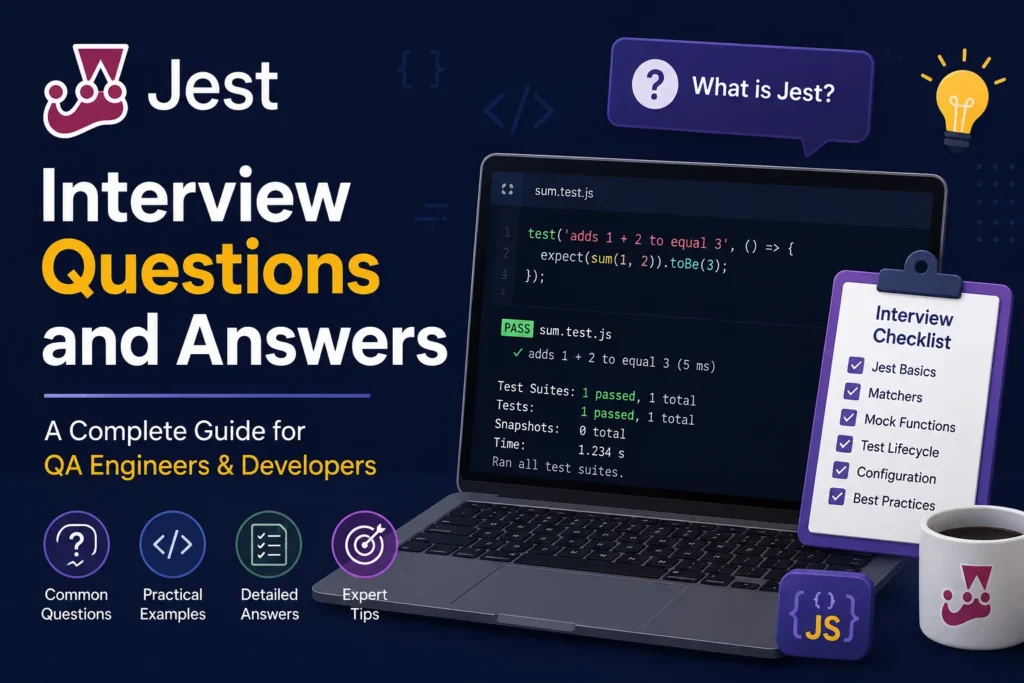
Testing questions have a way of showing up in almost every JavaScript interview now, and Jest is usually the framework interviewers ask about first. It’s the default test runner for React, ships with zero config, and most teams have used it at some point even if they’ve since switched to Vitest.
This guide walks through 30 questions you’re likely to hit, from “What is Jest?” all the way to mocking timers and interpreting coverage reports. I’ve grouped them by topic so you can jump to whatever you’re rusty on, and I’ve added short code snippets wherever an example explains things faster than a paragraph.
Jest Basics
1. What is Jest, and why do so many teams use it?
Jest is a JavaScript testing framework originally built at Facebook. It bundles a test runner, an assertion library, and mocking utilities into one package, so you don’t need to wire together separate tools the way you did with Mocha and Chai a few years back. Zero-config setup is the big draw: install it, add a script, and you’re running tests within minutes.
2. How do you install Jest and set up a basic test?
bash
npm install --save-dev jestAdd a script to package.json:
JSON
{ "scripts": { "test": "jest" } }Then write a test file ending in .test.js or .spec.js:
JavaScript
function add(a, b) { return a + b; }
test('adds 1 + 2 to equal 3', () => {
  expect(add(1, 2)).toBe(3);
});
3. What’s the difference between and? test() and it()?
Nothing functionally. it() is an alias for test(), included so tests read more like sentences (“it adds two numbers”). Pick one and stay consistent across your codebase; mixing both in the same file just adds noise.
4. What does it describe() do?
It groups related tests into a block, mostly for organization and readable output. beforeEach and afterEach hooks placed inside aonly apply to tests within that block, which is handy when different test groups need different setups.
JavaScript
describe('Calculator', () => {
  test('adds numbers', () => { /* ... */ });
  test('subtracts numbers', () => { /* ... */ });
});
5. How does Jest find which files to run?
By default, it looks for files in a __tests__ folder, or any file ending in .test.js / .spec.js, anywhere in the project. You can override this with the testMatch OR testRegex options if your team uses a different naming convention.
6. What’s the difference between unit, integration, and snapshot tests in Jest?
Unit tests check one function or component in isolation. Integration tests check how a few pieces work together, like a component calling an API function. Snapshot tests capture a rendered output and flag when it changes unexpectedly. Jest handles all three, but the setup and mindset for each are different.
Matchers
7. What’s the difference between and? toBe() and toEqual()?
toBe() checks strict equality (Object.is), so it’s right for primitives like numbers and strings. toEqual() does a deep comparison, checking that two objects or arrays have the same structure and values, even if they’re different objects in memory.
JavaScript
expect(2 + 2).toBe(4);
expect({ name: 'Alex' }).toEqual({ name: 'Alex' }); // toBe() would fail here
8. When would you use toStrictEqual() instead of toEqual()?
toStrictEqual() also checks that objects have the same type and that undefined properties are treated as present. If you have two objects, one with { a: undefined } and one that’s just {}, toEqual() treat them as equal, but toStrictEqual() don’t. Use it when you need to catch accidental undefined properties.
9. Name a few common matchers besides toBe and toEqual.
toBeNull()•,toBeDefined()— for null/undefined checkstoBeTruthy(),toBeFalsy()— for boolean-ish checkstoContain()— checks if an array or string includes a valuetoThrow()— checks a function that throws an errortoHaveLength()— checks array or string length
10. How do you test that a function throws an error?
JavaScript
function divide(a, b) {
  if (b === 0) throw new Error('Cannot divide by zero');
  return a / b;
}
test('throws on divide by zero', () => {
  expect(() => divide(4, 0)).toThrow('Cannot divide by zero');
});
Note the function has to be wrapped in another function. Calling divide(4, 0) directly inside expect() throws before Jest gets a chance to catch it.
Setup, Teardown, and Test Structure
11. What do… and afterAll do?
beforeEach and afterEach run before and after every single test in a file or describe block,beforeAll and afterAll run once, before the first test and after the last. Use the “All” versions for expensive setups, like spinning up a test database connection, and the “Each” versions when tests need a clean slate every time.
12. Why does test isolation matter in Jest?
Each test file runs in its own sandboxed environment by default, and tests within a file should not depend on each other’s side effects. If test B only passes because test A ran first and set some shared state, that’s a fragile suite. A common interview follow-up here: “How would you fix a test that fails only when run in a specific order?” The answer usually involves resetting mocks or state in beforeEach.
13. What’s it jest.setup.js used for?
It’s a file you point to via the setupFilesAfterEach (or setupFiles) config option, and Jest runs it before each test file. Teams use it to configure global matchers (like jest-dom), set environment variables, or silence console warnings across the whole suite instead of repeating that setup in every file.
Mocking
14. What’s the difference between jest.fn(), jest.mock(), and jest.spyOn()?
jest.fn()creates a standalone mock function you can pass around and inspect.jest.mock()replaces an entire module with an auto-mocked or manually defined version.jest.spyOn()wraps an existing method on an object, so you can track calls to it while still (optionally) calling the real implementation.
15. How do you mock a module that makes an API call?
JavaScript
jest.mock('./api');
import { fetchUser } from './api';

test('loads user data', async () => {
  fetchUser.mockResolvedValue({ id: 1, name: 'Sam' });
  const result = await fetchUser(1);
  expect(result.name).toBe('Sam');
});
This keeps tests fast and independent of a real network call, and it lets you simulate error responses without needing the API to actually fail.
16. How do you check that a mock function was called with specific arguments?
JavaScript
const mockFn = jest.fn();
mockFn('hello', 42);
expect(mockFn).toHaveBeenCalledWith('hello', 42);
expect(mockFn).toHaveBeenCalledTimes(1);
17. What’s the difference between mockReturnValue() and mockResolvedValue()?
mockReturnValue() sets what a synchronous mock returns. mockResolvedValue() is shorthand for making the mock return a resolved promise, which is what you want for functions that would normally be async. There’s also mockRejectedValue() testing for error handling paths.
18. How do you mock timers in Jest?
JavaScript
jest.useFakeTimers();
test('calls callback after 1 second', () => {
  const callback = jest.fn();
  setTimeout(callback, 1000);
  jest.advanceTimersByTime(1000);
  expect(callback).toHaveBeenCalled();
});
Fake timers let you test setTimeout, setInterval, and debounce logic instantly instead of actually waiting. Don’t forget jest.useRealTimers() to reset behavior for the next test.
Testing Async Code
19. How do you test a function that returns a promise?
JavaScript
test('resolves with correct value', () => {
  return fetchData().then(data => {
    expect(data).toBe('result');
  });
});
Or with async/await, which most teams prefer for readability:
JavaScript
test('resolves with correct value', async () => {
  const data = await fetchData();
  expect(data).toBe('result');
});
20. What happens if you forget a promise in a test?
The test finishes before the promise resolves, and Jest reports it as passing regardless of what the assertion inside .then() actually found. This is a classic bug that produces false positives, so it’s worth knowing cold for an interview: always return or await async work in a test.
21. How do you test that a promise is rejected?
JavaScript
test('rejects with error', async () => {
  await expect(fetchData()).rejects.toThrow('Network error');
});
22. What is the done callback, and when would you still use it?
done is an older pattern for testing callback-based (non-promise) async code. You pass done into the test function and call it once your assertions finish.
JavaScript
test('callback fires eventually', (done) => {
  fetchWithCallback((result) => {
    expect(result).toBe('data');
    done();
  });
});
It’s mostly legacy at this point since it async/await handles most cases more cleanly, but you’ll still see it with older codebases or libraries that use Node-style callbacks.
Snapshot Testing and Coverage
23. What is snapshot testing, and when is it actually useful?
Snapshot testing renders a component or output once, saves it as a reference file, and compares future test runs against that saved version. It’s genuinely useful for catching unintended UI changes, like a stray CSS class or a prop that silently stopped rendering. It’s less useful as a substitute for real assertions; a snapshot tells you something changed, not whether the change is correct.
24. What do you do when a snapshot test fails?
Check whether the change was intentional. If it was, run jest --updateSnapshot (or jest -u) to regenerate the snapshot file. If it wasn’t, you just caught a bug before it shipped, which is the whole point of the test.
25. How do you run Jest with a code coverage report?
bash
jest --coverageThis outputs percentages for statements, branches, functions, and lines. A common interview question here: is 100% coverage always the goal? Honestly, no. High coverage on trivial code (getters, simple wrappers) doesn’t tell you much, and chasing the last few percent often means testing implementation details instead of behavior.
26. How do you exclude files from coverage reports?
Add an and coveragePathIgnorePatterns config in jest.config.js. Teams typically exclude config files, type definitions, and generated code, since testing those doesn’t add real confidence.
Testing React Components (If the Role Involves React)
27. How do you test a React component with Jest?
Jest handles the test runner and assertions, but you’ll pair it with React Testing Library for rendering and querying the DOM:
JavaScript
import { render, screen } from '@testing-library/react';
import Greeting from './Greeting';

test('renders a greeting message', () => {
  render(<Greeting name="Sam" />);
  expect(screen.getByText('Hello, Sam')).toBeInTheDocument();
});
28. Why do most teams prefer React Testing Library over shallow rendering?
Shallow rendering (from an older library called Enzyme) tests implementation details, like internal state or which child components got called. RTL tests behavior from the user’s point of view: what’s on screen and what happens when you click something. That approach tends to survive refactors better, since the test doesn’t break just because you renamed an internal method.
Best Practices and Performance
29. How does Jest run tests so fast, and can that ever cause problems?
Jest runs test files in parallel across worker processes, which is why large suites don’t take forever. The tradeoff: tests in different files shouldn’t share external state, like writing to the same test database table, or you’ll get flaky failures depending on execution order. If you need a single database connection shared safely, it --runInBand runs everything serially, though obviously slower.
30. What’s a mistake you’d flag in a Jest test during code review?
A few real ones: mocks that never get reset between tests (leading to state leaking across the suite), snapshot tests used for logic that deserves a real assertion, and tests that check implementation details so tightly that a harmless refactor breaks half the suite. None of these fail immediately; they just make the test suite expensive to maintain over time, and that’s usually the deeper thing interviewers are probing for with this question.







1 thought on “Jest Interview Questions and Answers”