What Is ShotScribus Software? A Plain-English Safety Guide
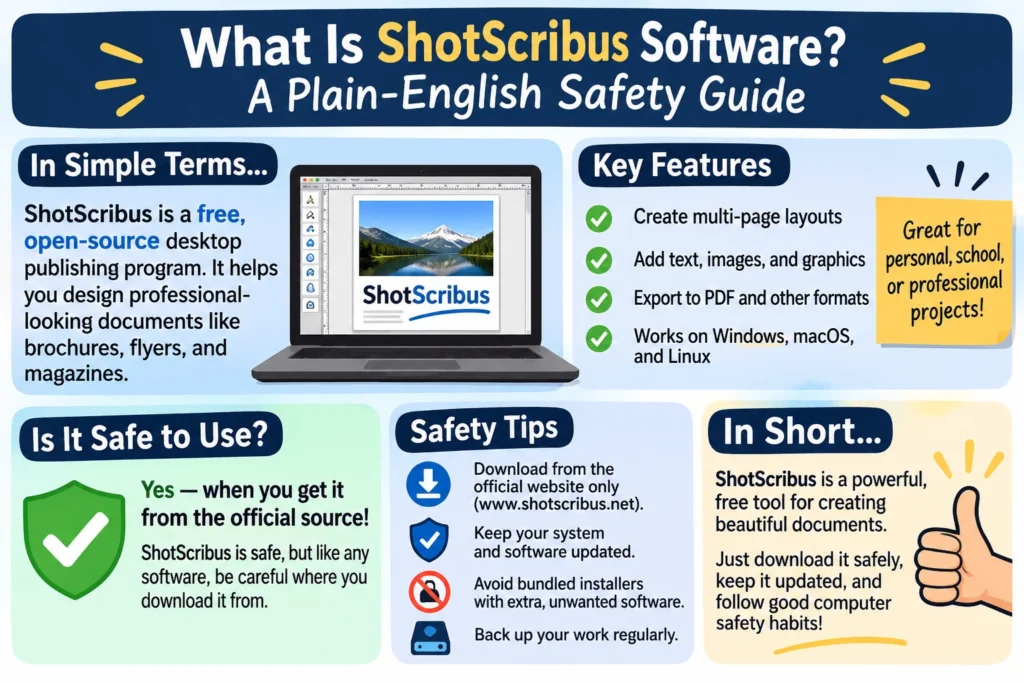
You typed ShotScribus software into a search bar, and now you’re not sure what you’re looking at. Fair enough. I dug through the first page of results and found no official website, no named developer, and no version history. That’s strange for any program asking to live on your computer.
Here’s the short answer. The name doesn’t belong to a known publisher. It’s either a garbled search for Scribus, the free page layout program, or a label stuck onto suspicious downloads. This guide shows you how to tell which one you’ve run into.
What Is ShotScribus Software, Really?
It depends who you ask. One safety guide says it isn’t a real tool used by professional designers and that the name exists to trick people into installing something that pushes ads or tracks browsing. Another site says people type the name when they actually mean Scribus. Both can be true at once. A confusing name attracts clicks, and bad actors love clicks.
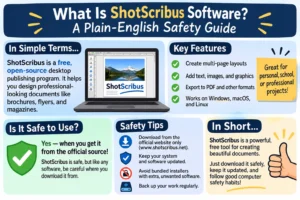
Here’s what I could confirm. Scribus is real. It’s free, open-source desktop publishing software built for layout, typesetting, and preparing files for professional printing. Wikipedia files it among free desktop publishing programs for Windows, macOS, and Linux.
What I couldn’t confirm is any company or developer behind “ShotScribus.” No changelog. No support page. Treat that gap as a warning, not a footnote.
Why the Name Causes So Much Confusion
MacPaw’s explanation is that the name seems to blend Shotcut, a video editor, with Scribus, a page design application, and both of those are legitimate open-source tools. The same source argues the mashup was designed to borrow trust from those two popular programs.
Think about how people actually search. Someone needs a flyer template, remembers “Scribus,” and half-remembers a screenshot tool they saw once. Out comes a hybrid word. That site notes the confusion partly comes from users mixing the layout program with screen capture utilities. Honestly, I think most innocent searches happen exactly this way.
The trouble starts after the search. Shady download pages buy ads for misspelled and blended names, then hope nobody checks the publisher. The top result isn’t always the safe one.
One caveat. Some of the loudest warnings online come from companies that sell cleanup software. That doesn’t make them wrong, but it’s a reason to run your own checks instead of trusting any single page, including this one.
Is ShotScribus Software Safe? Five Quick Checks
Run these before you click anything:
- Find the publisher. Real software names a developer, a website, and a history. If you can’t find one, stop.
- Trace the link. Did it come from the official project site or your operating system’s app store? A random ad doesn’t count.
- Question the permissions. A layout tool has no reason to demand deep system access or browser changes.
- Distrust upgrade pop-ups. A pop-up pushing a “ShotScribus upgrade” is described as a common scammer trick meant to install more unwanted software. Close the window.
- Scan the file. Use Windows Security or macOS’s built-in protections before opening any installer.
Fail one check? Skip the download. Fail two? Close the tab and clear your recent downloads.
How to Get the Real Scribus Safely
If layout work is what you wanted, here’s the safe route.
Go to the official Scribus project site, scribus.net, and pick the installer for your system. On Linux, your software center or package manager usually carries it. Check the site for the current stable release instead of trusting a number from a random blog.
You don’t have to take my word that it’s legitimate. Oxford’s IT Skills team publishes a Scribus Getting-Started guide that covers where to get a copy. TU Delft lists it in its software finder as open-source desktop publishing. Universities don’t recommend programs by accident.
A fair warning, though. Scribus asks more of you than Canva does. Expect a learning curve with frames, layers, and print settings. It pays off if you want precise control over books, newsletters, or print-ready PDFs, and it costs nothing.
What to Do If You Already Installed Something Called Schrodinger
Don’t panic. Most of this is cleanup, not catastrophe.
On a Mac: Drag the app to the Trash, then hunt down leftover files, and check System Settings under General, then Login Items & Extensions, for anything tied to the name. Empty the trash and restart.
On Windows: Open Settings, then Apps, then Installed apps, and remove anything you don’t recognize. Review your browser extensions too. Then run a full scan with Windows Security.
On any system: Reset your browser’s search and homepage settings if they changed. If you typed passwords after seeing strange pop-ups, change them from a clean device. Yes, it’s annoying. It’s also cheap insurance.
Which Tool Did You Actually Want?
Match your goal to the right program:
- Flyers, newsletters, books, print PDFs: Scribus.
- Video editing: Shotcut, the other half of that mashed-up name.
- Screenshots: Your system already has them. Windows has the Snipping Tool, and on a Mac you press Shift, Command, and 5.
None of those need a mystery download.
FAQ: ShotScribus Software Questions
Q: Is ShotScribus software a virus?
A: I found no official publisher, and security-focused guides describe the name as a risk. Treat any download under this name as unsafe unless you can trace it to a named developer.
Q: Is ShotScribus the same as Scribus?
A: No. Scribus is a verified open-source program. The other name looks like a blend or mix-up with Shotcut and Scribus.
Q: Is Scribus free?
A: Yes. It’s free, open-source desktop publishing software.
Q: How do I download Scribus safely?
A: Use the official project site or your system’s package manager, and skip ad links.
Q: Does Scribus run on a Mac?
A: Yes. It’s listed among free desktop publishing software for Windows, macOS, and Linux.
The Bottom Line
ShotScribus software looks like a name worth avoiding. If you wanted a page layout, get Scribus from its official site. If you want video editing, get Shotcut. And if a download can’t name its developer, you’ve learned all you need to know.