
Email Preheader CTA Phrases That Actually Get Opens
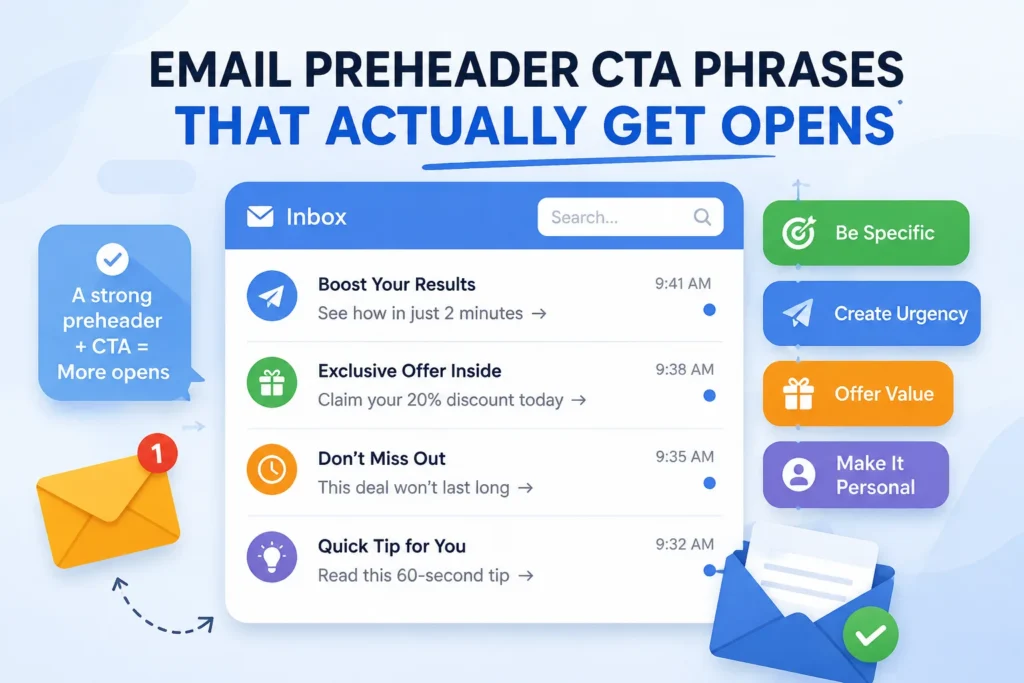
Most people write a great subject line, then leave the preheader as an afterthought. Gmail just grabs the first line of body text, usually something like “View this email in your browser,” and that’s what shows up next to your subject line. It’s a wasted opportunity, and it’s an easy one to fix.
What Is a Preheader, Exactly?
The preheader is the short snippet of text that appears right after (or below) your subject line in someone’s inbox. Think of it as a second headline. It doesn’t sell the whole email; it gives just enough reason to tap.
Keep it tight. Most inboxes cut off preheader text somewhere between 40 and 100 characters depending on the device, so front-load the important part. Don’t just repeat your subject line either. That’s a missed chance to add a second hook.
Why a CTA Belongs in the Preheader
A preheader with a clear call to action does two jobs at once. It clarifies what the email is about, and it nudges the reader toward the exact behavior you want before they’ve even opened anything. One email marketing resource puts it simply: pairing the preheader with a CTA improves engagement because it gives the reader a specific next step rather than a vague teaser.
That doesn’t mean cramming “Shop Now” into every preheader. The phrase should match the intent of the email.
Preheader CTA Phrases by Use Case
Sales and promotions
- “Save 20% before midnight; tap to shop.”
- “Your discount expires soon; don’t miss it.”
- “Free shipping ends tonight; grab yours.”
Newsletters and content
- “Read the 3-minute breakdown inside.”
- “This week’s top story, open to see it”
- “New post: here’s what changed”
Abandoned cart or reminders
- “Still thinking it over? Here’s 10% off”
- “Your cart is waiting; finish checkout.”
Event or webinar invites
- “Save your seat; spots are limited.”
- “Starts Thursday; tap to register”
Product launches
- “It’s here. See what’s new.”
- “First look inside, tap to explore.”
Notice these are short, specific, and lead with a verb. “Tap to shop” beats “Click here for our latest offers” every time, mostly because it’s faster to scan on a phone screen.
Three Mistakes That Kill Preheader Performance
Repeating the subject line. If your subject already says “50% off today,” don’t write a preheader that says the same thing in different words. Use the space to add a second reason to open, like a deadline or a specific product.
Writing it too long. Anything past 90 characters usually gets cut off on mobile, mid-sentence, which reads as sloppy. Front-load the CTA and the payoff, then let the rest trail off if it needs to.
Forgetting it exists. If you don’t set a preheader manually, most email clients pull the first line of your email body, which is often boilerplate like an unsubscribe link or “having trouble viewing this email.” That’s the worst possible first impression. Set it every time, even if it’s just one line of hidden preview text.
A Quick Testing Approach
Pick two preheader variants for your next campaign, one that leans on urgency and one that leans on curiosity. Send to a small segment first, check the open rate after a few hours, and then send the winner to the rest of your list. Over a few campaigns you’ll start to see which tone actually fits your audience, and you’ll have real data instead of guesswork.






1 thought on “Email Preheader CTA Phrases That Actually Get Opens”