
Edge Hill Blackboard: How to Log In to Learning Edge
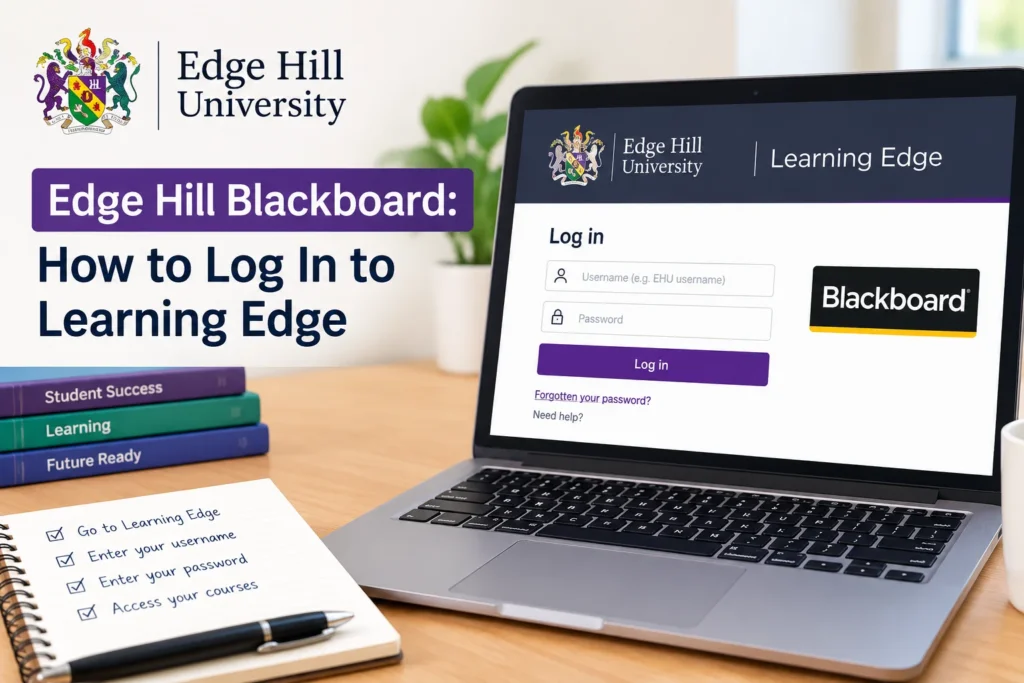
Looking for Edge Hill Blackboard? You want Learning Edge—that’s the name Edge Hill University gives to its Blackboard system, and it’s where every student and staff member manages coursework, submissions, and course materials.
→ Log in to Learning Edge here.
Sign in with your Edge Hill email address and current password. If you’re on campus or connected to the university network, this is usually a one-step process. Off campus, you’ll use the same credentials through your web browser, no VPN required.
What Is Learning Edge, Exactly?
Learning Edge isn’t a separate product. It’s Edge Hill’s branded name for their Blackboard installation, bundled together with several other teaching tools students use throughout their course. Practically speaking, when someone says “Edge Hill Blackboard,” they mean Learning Edge.
Once you’re in, you’ll find:
- Course and module areas set up by your tutors
- Assignment submission points
- Turnitin for originality checking
- Panopto for lecture recordings
- Class collaborates for online seminars
- Quick attendance for register tracking
- Blackboard Ally, which improves accessibility of course materials
Edge Hill has been rolling out Blackboard Ultra, a redesigned interface, alongside the older Blackboard Original experience. Most students will now land in Ultra by default, though some legacy course areas may still run on Original. Don’t worry if your screen looks different from a friend’s on another course. That’s expected during the transition, not a sign something’s broken.
How to Log In: Step by Step
- Go to the Learning Edge login page. Use the link above, or navigate to edgehill.ac.uk and select “Current Students,” then “Learning Edge.”
- Enter your Edge Hill email and password. This is the same login you use for your university email account.
- Choose your browser wisely. Edge Hill recommends Google Chrome or Microsoft Edge for the smoothest experience. Older browsers, especially Safari on outdated versions, sometimes cause display glitches.
- Land on your course list. Once signed in, you’ll see the modules you’re enrolled in for the current term.
That’s it for a normal login. Most access problems come down to one of the issues below.
Common Login Problems and Fixes
Forgotten password or locked account Your Learning Edge login is tied to your main Edge Hill network account, so a password reset there fixes both at once. Head to the IT self-service password reset tool rather than trying to guess your way in, since repeated failed attempts can trigger a temporary lockout.
Courses or modules not showing up: New enrolments sometimes take a day or two to sync into Blackboard after registration. If it’s been longer than that, or the term has already started, contact your course administrator or Learning Services directly. It’s often a data sync delay, not something wrong on your end.
The page won’t load or looks broken. Try switching to Chrome or Edge if you’re on a different browser. Clearing your cache, or trying an incognito/private window, resolves most display issues in a couple of minutes. If it’s still broken, check the Learning Edge service status page. Outages do happen, and they’re usually fixed within a few hours.
Can’t submit an assignment Submission points close automatically at their deadline. If you’re within the window and still can’t submit, check your file format and size against what the assignment brief asks for. Turnitin, in particular, rejects certain file types outright.
Mobile access: Both the Blackboard app (for students) and the Blackboard Instructor app (for staff) work with Learning Edge. Download either from the Google Play Store or Apple App Store, then search for “Edge Hill” when prompted to select your institution.
Getting Further Help
If none of the above solves it, Edge Hill’s Ask Us knowledge base covers hundreds of common questions on Blackboard, Wi-Fi, and software access. When self-service doesn’t cut it, Learning Services responds to submitted queries in under two hours on average, and you can also call, text, or start a live chat with the team.







1 thought on “Edge Hill Blackboard: How to Log In to Learning Edge”