
Akiflow Pricing: What You Actually Pay in 2026
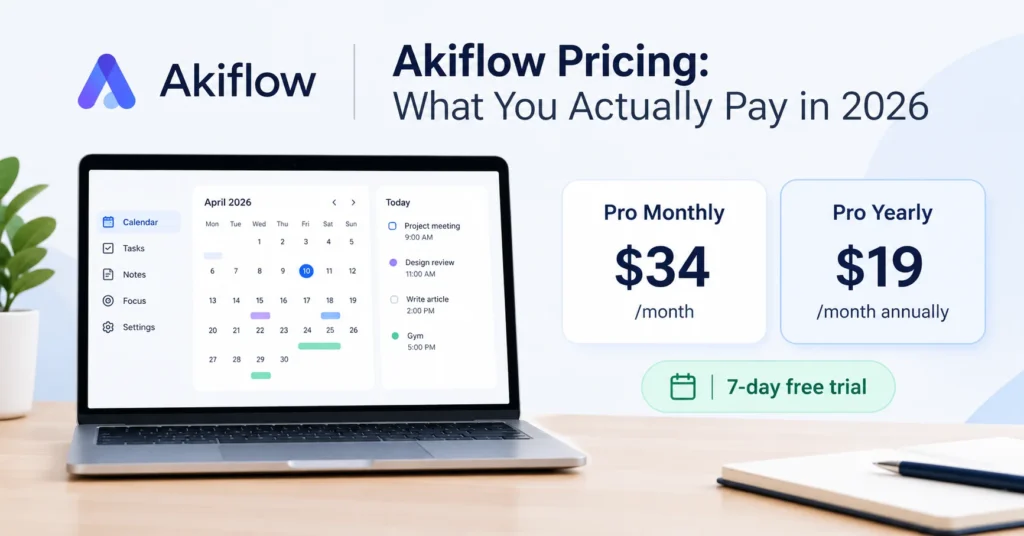
If you just want the number: Akiflow has one plan, sold at two price points. Pay $34 a month, or lock in the yearly plan for $19 a month, billed once a year at $228. That’s a 44% saving over paying monthly, confirmed on Akiflow’s own pricing page as of this year. There’s no permanent free tier, just a 7-day trial with full access to the product.
That’s the short version. Here’s what actually comes with each plan, who the pricing makes sense for, and where people get tripped up.
Akiflow’s Two Billing Options
Akiflow doesn’t split features across tiers the way most task managers do. There’s no “basic” plan missing the good stuff. You get the full product either way; the only choice is how you pay for it.
Pro Monthly – $34/month Billed every 30 days, cancel whenever you want. This is the plan to pick if you’re still testing whether Akiflow fits your workflow, or if you just don’t want to commit to a year upfront.
Pro Yearly – $19/month ($228 billed annually) Same features, lower effective cost. Akiflow markets this as the plan for people who’ve already decided the tool earns its place in their routine, and the math backs that up: over 12 months you’d pay $408 on the monthly plan versus $228 on yearly. That’s $180 back in your pocket.
Both tiers include:
- Unlimited tasks, subtasks, meetings, and integrations
- Aki, Akiflow’s built-in AI assistant, plus its MCP connector
- Calendar sync (Google and Outlook), time blocking, and the daily planning ritual
- Keyboard shortcuts, labels, recurring tasks, and productivity analytics
- Zapier and IFTTT automation support
Nothing is gated behind a higher price. Whether you pay monthly or yearly, you get the same toolkit.
Is There a Free Plan?
No. Akiflow gives new users a 7-day free trial with full feature access, and that’s the only way to try it without paying. Some other planners in this space (Todoist, TickTick) offer a genuinely free tier with reduced features. Akiflow doesn’t. If a permanent free option matters to you, that’s worth weighing before you sign up.
One practical note: if you try to cancel during the trial, some users report Akiflow’s team offers an extra week to keep testing. It’s not guaranteed, but it’s worth asking support if a week doesn’t feel like enough time to judge a tool with this many integrations.
Discounts and Team Pricing
Akiflow doesn’t publish a self-serve discount code anywhere on its pricing page. Instead:
- Students and researchers can email support@akiflow.com for education pricing.
- Teams get routed to a sales call rather than a listed per-seat price, since Akiflow’s team plans are quoted individually.
If you’re evaluating this for a company rather than yourself, budget time for that sales conversation rather than expecting a self-checkout team plan.
Is Akiflow Worth $19-$34 a Month?
This is really a question about your current workflow, not about Akiflow’s feature list.
Research from Gloria Mark, an informatics professor at UC Irvine who has studied digital distraction for two decades, found that it takes roughly 23 minutes to fully return to a task after a single interruption. If your day involves constantly rebuilding a plan across five apps (Slack, email, three calendars, a task list), that’s not one interruption. That’s dozens, and the recovery time compounds fast.
Akiflow’s whole pitch is collapsing that scatter into one inbox and one calendar view. If tasks genuinely arrive from multiple work apps and you already time-block your day, paying $19-$34 a month to stop rebuilding your schedule by hand is a reasonable trade. The ROI shows up as reclaimed hours, not as a feature you can point to.
If your task list already lives in one place, and you rarely need deep integrations, you’re probably paying for capacity you won’t use. A simpler, cheaper planner will likely feel better once the novelty of a new tool wears off.
Akiflow tends to make sense if:
- You pull tasks from several inboxes, tools, and calendars every day
- You already time-block, or want to start
- You’d genuinely use the command bar and daily planning ritual, not just install it once and forget it
It’s probably not worth it if:
- You need a free plan, or dislike annual subscriptions on principle
- Your tasks already sit in one app
- You want a lightweight to-do list, not a full planning system
How Akiflow’s Pricing Compares
Akiflow sits in the “premium, single-purpose” bracket. Some competitors, like Todoist, offer a free tier and cheaper paid plans, but with lighter calendar integration. Others in the AI-planning space price close to or slightly above Akiflow’s yearly rate while adding automated scheduling on top of manual time blocking. None of that makes Akiflow’s price right or wrong on its own; it just means the fair comparison is to your actual daily habits, not to a single competitor’s sticker price.









1 thought on “Akiflow Pricing: What You Actually Pay in 2026”