Rapidtags: What It Is and How to Use It for YouTube
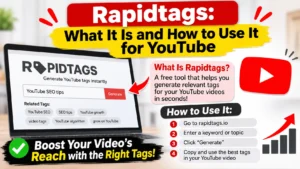
You uploaded a video, reached the tags box, and froze. Type what, exactly? That’s usually when creators land on Rapidtags, a free generator that turns a topic into a ready-made list of YouTube tags.
This guide covers what the site does, how to use it, and the part most tag articles skip: how much tags matter at all. Less than you’d hope. I’ll also flag what I couldn’t verify, since several details about paid features come from third parties, not the company.
What Is Rapidtags?
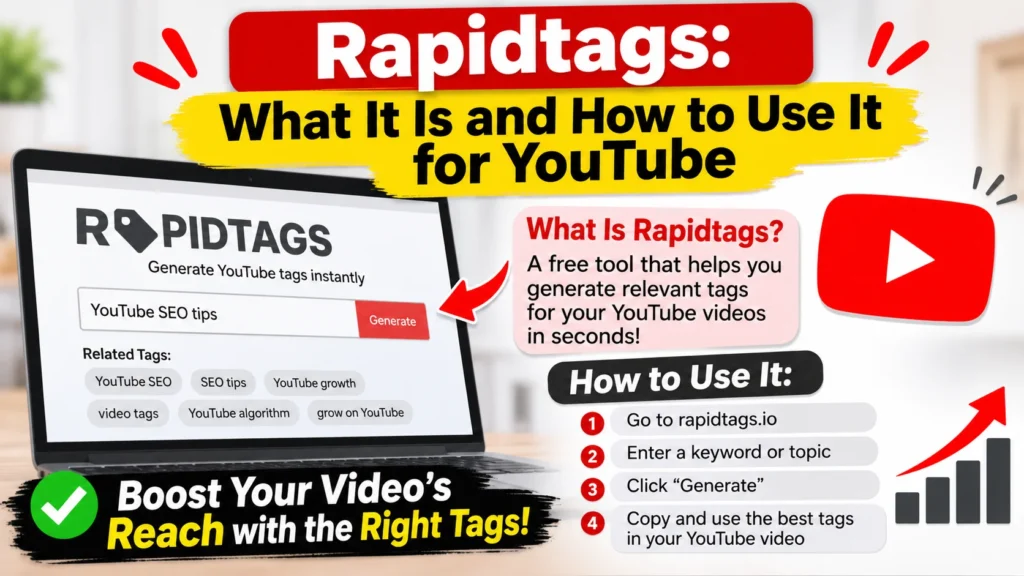
Rapidtags lives at rapidtags.io and builds tools for YouTube creators. Its GitHub profile says it helps creators grow faster and lists the United Kingdom as its base. The main product is a generator: you enter a topic or title and get suggested tags to paste into YouTube Studio. One software roundup notes it can produce tags in multiple languages.
A small Chrome extension exists too. It fixes the spacing after commas when you paste generated tags.
Is it a rival to vidIQ or TubeBuddy? Not really. Those are full suites, while this is closer to a quick lookup. A company-data listing puts the team at 1 to 10 employees, so expect a small operation.
How to Use RapidTags, Step by Step
- Enter a specific topic. Vague input returns vague output. One generator guide shows that “French music” gives broad results, while “French style music” gives more relevant suggestions. Say what your video actually covers.
- Cut the junk. Delete anything that doesn’t describe your video. Using unrelated tags can get a channel marked down. I’d keep 8 to 15 tags, not 40.
- Add your own. Include your channel name, series name, and any word viewers often misspell.
- Paste into Studio. Open Content in YouTube Studio, select the video, click Show more, and add your tags. The field caps out at 500 characters.
Do YouTube Tags Even Matter in 2026?
Here’s the uncomfortable bit. YouTube’s own help page says tags are useful if your content is commonly misspelled and, otherwise, play a minimal role in discovery. It also calls the title, thumbnail, and description more important.
So where does a generator help? Mostly with spelling variants. Think of a brand name people mangle, a foreign term, or a technical word. One 2026 guide suggests spending two minutes on tags, then putting your real effort into titles and thumbnails. I agree. Honestly, if you’re spending an hour on tags, you’re spending it in the wrong place.
Does that make the site pointless? No. It saves time and surfaces phrasing you might not think of. Just don’t expect a views boost from it.
Is RapidTags Free?
Sources disagree, which is worth knowing. One review calls it completely free, supported by ads and affiliate partnerships. A competitor’s comparison page says free accounts are limited and full access needs a signup, and that paid plans add historical tag tracking. That competitor has a reason to say so. Check the pricing page yourself before relying on either claim.
Pros and Cons
Pros
- Fast: a topic in, a list out
- Multi-language support
- Chrome extension for paste formatting
Cons
- Tags carry little ranking weight
- Pricing details are unclear across sources
- Output needs manual cleanup
Alternatives Worth a Look
vidIQ and TubeBuddy bundle tags with analytics. Free generators like WildandFree and TunePocket skip the account. A Content Marketing Institute piece also lists a browser extension that shows the tags on any opened video, handy for seeing what ranking videos use.
Other Things Called RapidTags
The name isn’t unique. A Salamander Technologies product creates incident ID badges on-scene, and Allflex sells RapID tags for livestock, applied with a multi-shot applicator. Different products entirely.
FAQ: RapidTags Questions
Q: What is Rapidtags used for?
A: Generating YouTube tags from a topic or title, so you can paste them into YouTube Studio.
Q: Do YouTube tags help videos rank?
A: Barely. YouTube says they matter mainly for commonly misspelled content, and that title, thumbnail, and description count more.
Q: Can I add tags after publishing?
A: Yes. Open the video in YouTube Studio, select Show more, and edit the tags field anytime.
Q: Is there an official Rapidtags app?
A: I found a Chrome extension for comma formatting and an unofficial Python wrapper, but no official app.
Q: How many tags should I use?
A: There’s no magic number. Stay under the 500-character cap and keep every tag relevant.